Quick answer
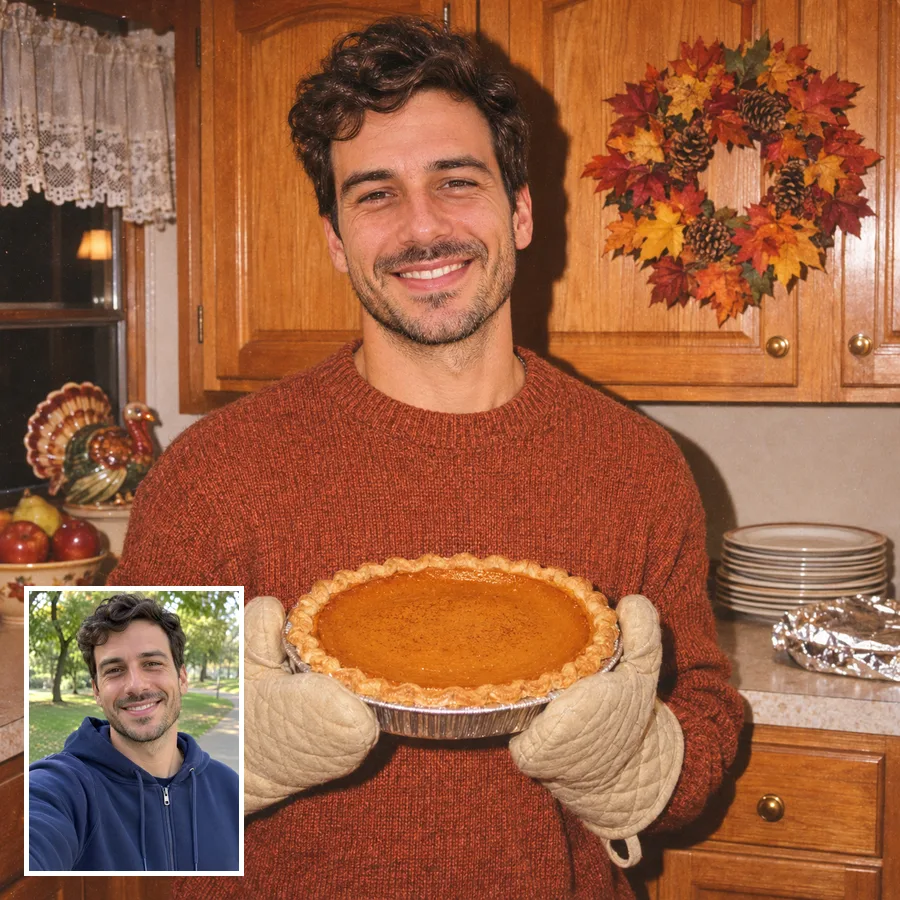
Open Thanksgiving PFP AI, upload one clear selfie or pet photo, pick one of three holiday scenes and tap Make. In about a minute you get two square portraits — by default, a nostalgic late-1990s direct-flash kitchen photo holding a freshly baked pumpkin pie in quilted oven mitts. Each run costs 4 credits, so a new account’s welcome credits pay for your first set free.
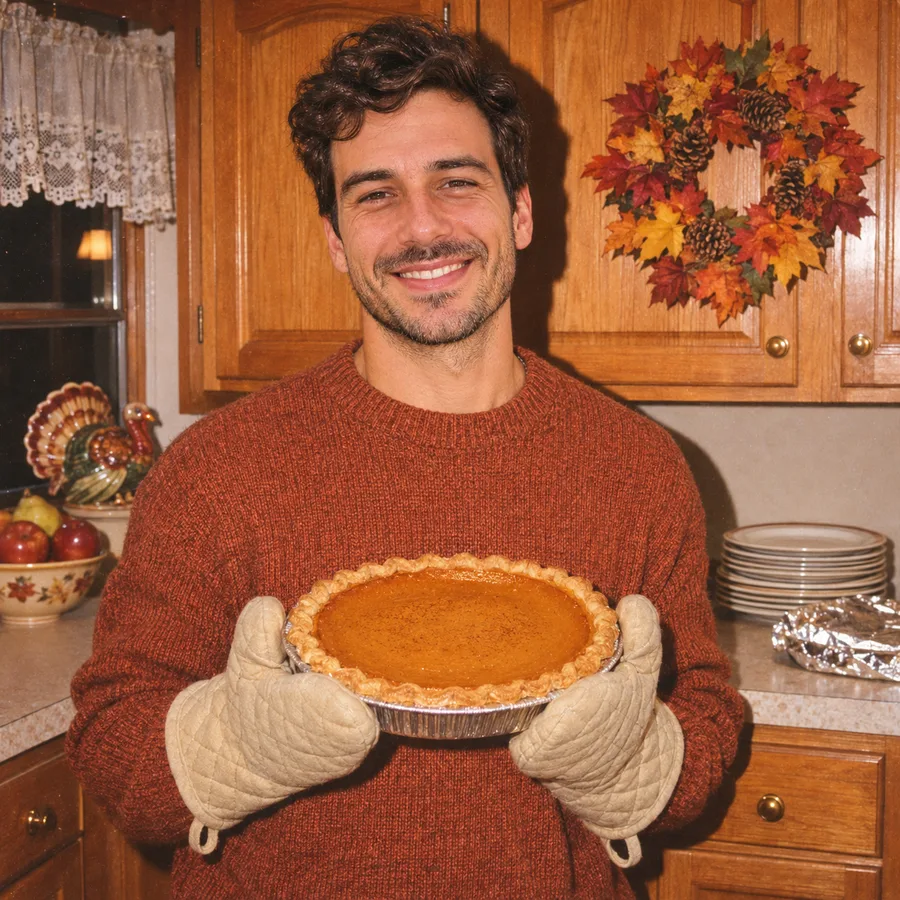
Every late November, social feeds trade sleek studio headshots for warm, slightly chaotic home-kitchen nostalgia. This season’s favourite holiday avatar looks like someone’s aunt snapped you on a disposable camera in 1998 right as dessert came out of the oven: honey-oak cabinets, crinkled foil on the counter, a maple-leaf wreath on the cupboard door and a golden pumpkin pie held up in quilted oven mitts. Thanksgiving PFP AI on Reelfie (reelfie.app) builds that exact portrait from a single everyday photo, with dedicated modes for both people and pets.
Below is what gives the 90s kitchen flash portrait its unmistakable Thanksgiving feel, how the three built-in scenes compare, which input photo keeps your face sharpest, and a copy-paste prompt if you want to try a one-off version inside a free chatbot.
Why the 1990s kitchen flash look works as a PFP
Profile pictures sit inside tiny circles on TikTok, Instagram, WhatsApp and Discord. Overly polished studio backdrops blur into nothing at avatar size, whereas three high-contrast details read immediately even on a phone lock screen: a warm face lit straight from the front by on-camera flash, a bright orange pumpkin pie held chest-high, and honey-toned wood cabinetry behind.
Pumpkin Pie Kitchen
Direct 1990s point-and-shoot flash, honey-oak cabinets, maple-leaf wreath, knit sweater and a fresh pumpkin pie held in beige oven mitts.
Default scene — classic nostalgic avatar
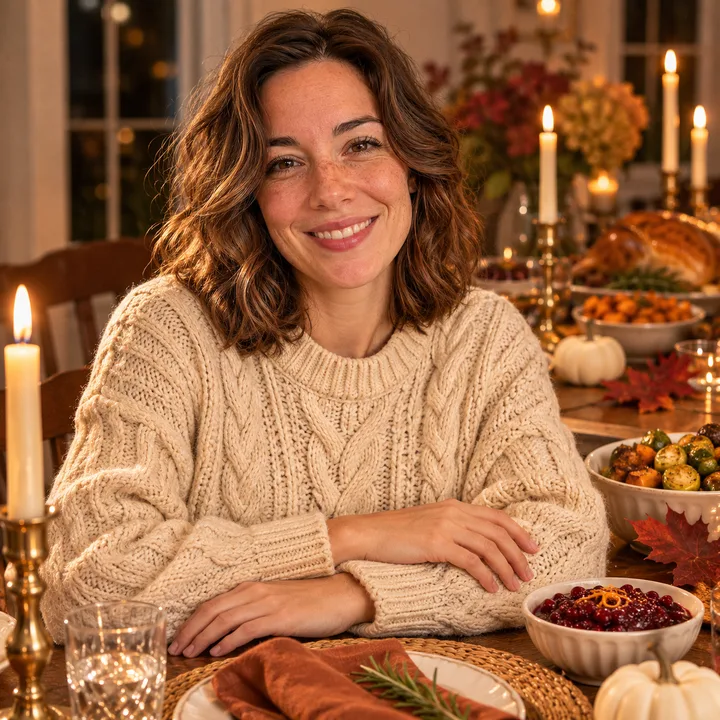
Candlelit Dinner Table
Chunky cream cable-knit sweater at a wooden dining table with brass taper candles, cranberry bowls, white pumpkins and warm evening light.
Warmer editorial Friendsgiving card
Autumn Porch & Turkey Hat
Late-afternoon golden hour on a pumpkin-lined wooden porch wearing a burgundy knit sweater and a plush roasted-turkey novelty beanie.
Goofier family-chat avatar
 Dinner table
 Pet mode
Running it on dogs and cats
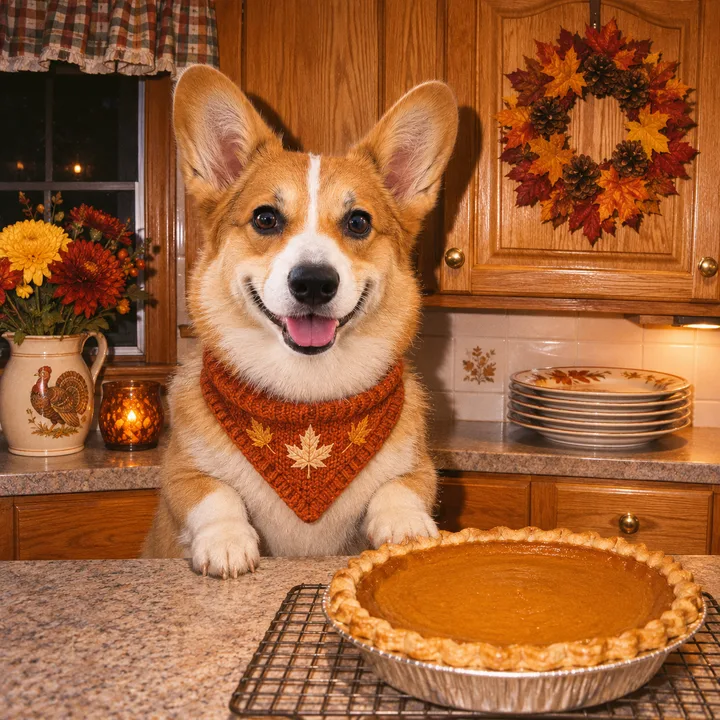
Generic portrait filters often try to put human hands or human sweaters onto animals when nobody tells them otherwise. Switching the subject toggle to Pet rewrites the framing around animal anatomy: in Pumpkin Pie Kitchen, your dog or cat sits proudly behind the counter with its own furry paws beside a cooling pie and wears a knit autumn bandana rather than oven mitts.
- Shoot from your pet’s eye level so both eyes, nose and ear tips are clearly visible.
- Natural indoor window light or outdoor shade keeps white chest fur and dark muzzles from clipping.
- One pet per photo works best so markings and ear shapes never blend.
- Collars or tags in the original photo get replaced cleanly by the seasonal bandana, plaid bow tie or knit sweater.
Step by step on Reelfie
- 1Open the Thanksgiving PFP AI page, choose Solo or Pet, and drop in a single front-facing picture taken in normal indoor light or daylight.
- 2Keep Pumpkin Pie Kitchen for the 1990s flash look with oven mitts and a foil-tin pie, or switch to Candlelit Dinner Table or Autumn Porch & Turkey Hat.
- 3The button shows the exact price before running: 4 credits for two square portraits. Every new account’s free welcome credits cover your first set at zero cost.
- 4Tap Make. Both portraits finish in about a minute and wait in Assets, with an automatic credit refund if an upstream run fails.
- 5Download your favourite portrait and set it as your TikTok, Instagram or Discord avatar for Thanksgiving week, or drop it into the family group chat.
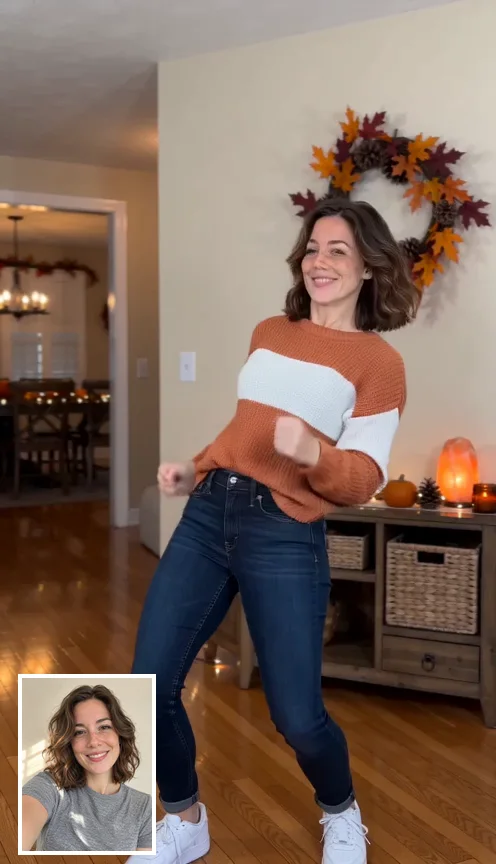
Once you have your holiday avatar, you can drop the exact same selfie into the 12-second Thanksgiving Bend dance guide to generate a matching vertical video for Stories or Reels.
Free DIY prompt for ChatGPT or Gemini
If you only want one picture and prefer typing your own prompt into a general assistant, attach a clear front-facing selfie to ChatGPT or Gemini and spell out both the camera flash and the 1990s kitchen props so it avoids glossy stock-photo lighting:
Turn this selfie into a candid 1990s point-and-shoot flash photograph in a warm honey-oak home kitchen on Thanksgiving night. Keep the person’s exact face, hair, skin tone and smile. Dress them in a rust-orange knit crew-neck sweater holding a freshly baked pumpkin pie in a foil tin with two quilted beige oven mitts at chest height. Hang an autumn maple-leaf wreath on the oak cabinet door behind them, add stacked plates on the counter, direct front flash with a soft wall shadow, subtle 35mm grain, square 1:1 crop, no text.
Common problems
The face drifted slightly from my selfie
Start from an unfiltered, front-facing shot without harsh overhead shadows or wide-angle lens distortion from holding the phone too close.
The turkey hat covered part of my hair
Autumn Porch & Turkey Hat perches a plush novelty beanie on top of the head by design; choose Pumpkin Pie Kitchen or Candlelit Dinner Table to keep your full hairstyle untouched.
My pet ended up looking like a generic breed
Make sure the Pet tab is selected before hitting Make, and use a photo that shows your pet’s ears and coat markings straight on.
Why is there a small corner watermark on my first download?
Runs paid for solely with free welcome credits carry a small corner mark; any credit pack or plan removes watermarks on future runs.
FAQ
How do I make a Thanksgiving PFP with AI for free?
Open Thanksgiving PFP AI on Reelfie (reelfie.app), upload one selfie or pet photo and press Make. A run costs 4 credits for two portraits, which every new account’s free welcome credits cover on sign-up.
What is the 90s pumpkin pie kitchen trend?
A late-November profile-picture trend where people turn an everyday selfie into a nostalgic point-and-shoot flash photo in an oak-cabinet home kitchen, holding a freshly baked pumpkin pie in oven mitts.
Can I make a Thanksgiving PFP of my dog or cat?
Yes. Select Pet on the template page and upload one clear photo of your dog or cat to place it behind the counter beside a cooling pumpkin pie, at a candlelit table or on an autumn porch.
Do I need to wear autumn clothes in my original photo?
No. Everyday T-shirts, hoodies or outdoor jackets in your selfie are automatically swapped for a knit autumn sweater suited to the scene you pick.
Make your first one
Thanksgiving PFP AI: Pumpkin pie, 90s kitchen flash.
Try Thanksgiving PFP AIYour photos are deleted 7 days after upload and never used to train AI.