Quick answer
Film two takes from the same spot with the phone on a stand: one as yourself, one wearing a hollowed pumpkin or a foam craft pumpkin lit from inside with an LED. Cut from the first take to the second on the beat drop. No time to carve? The Pumpkin Head AI template does it from one selfie.
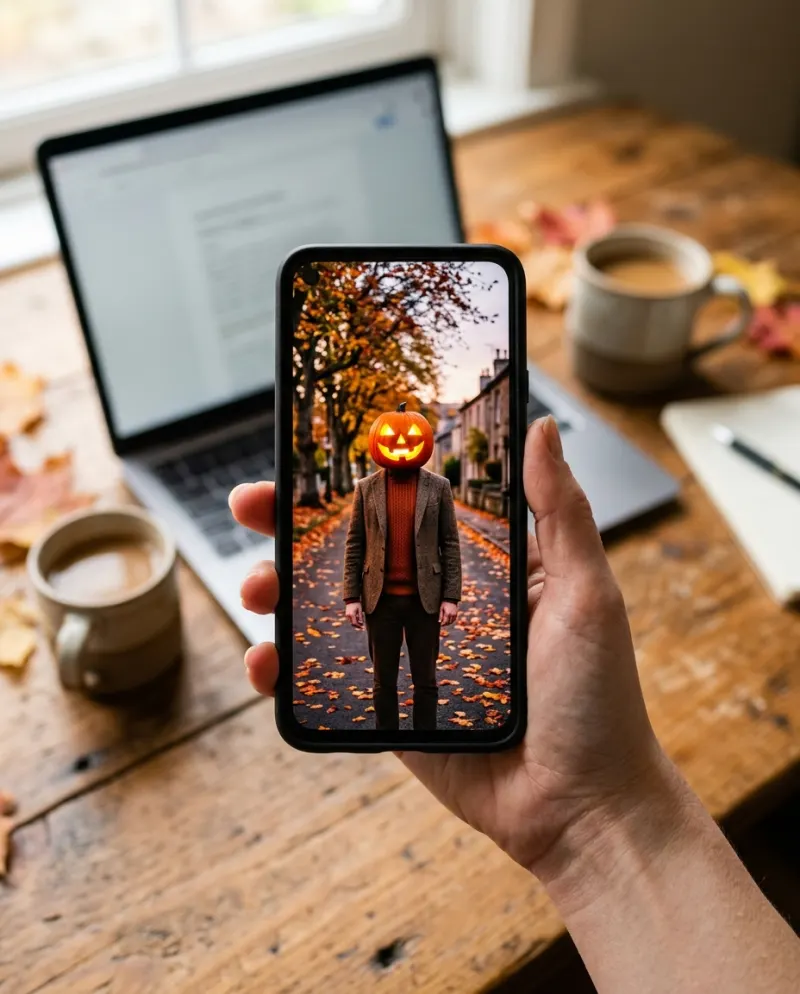
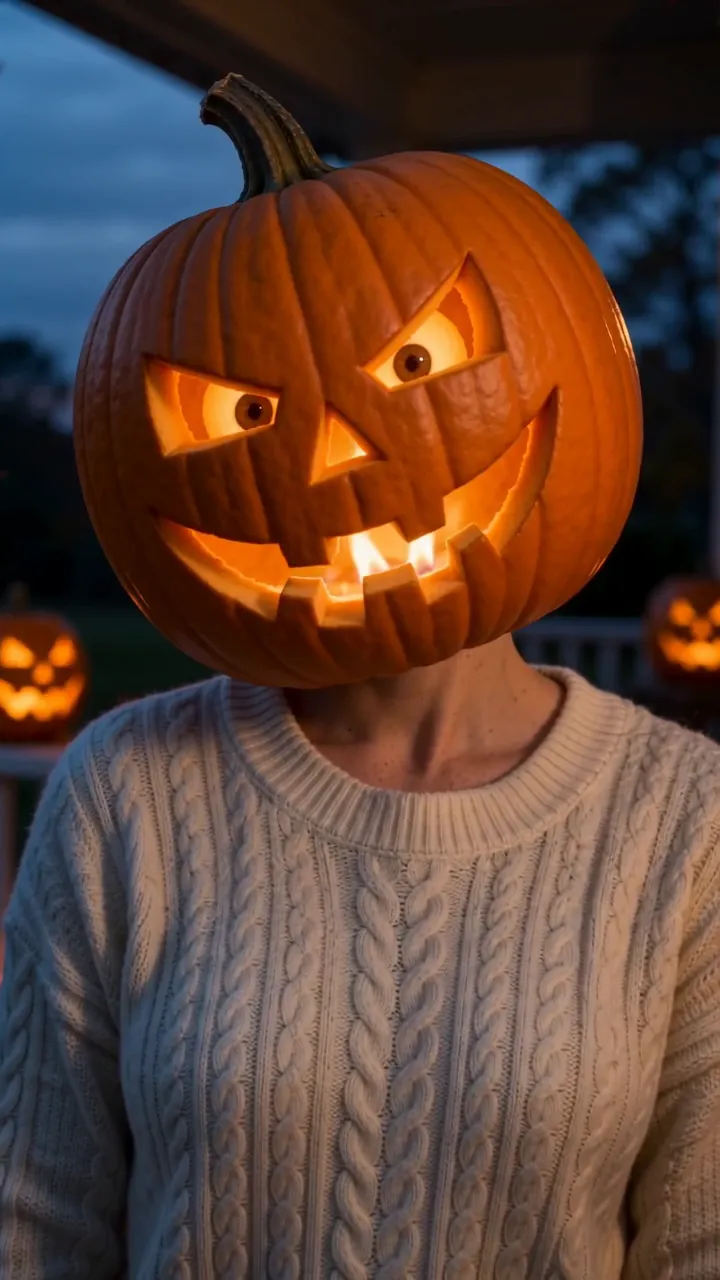
The Pumpkin Head trend is a simple transition: you are yourself for a beat, then the sound drops and your head is a glowing jack-o’-lantern. You can shoot it for real with a pumpkin and a phone, or skip the carving and use the Pumpkin Head AI template with one selfie.
This guide is the real-pumpkin version, start to finish, with the AI shortcut at the end if you run out of time or pumpkins.
What you need
- A pumpkin big enough to fit over your head, or a lightweight foam craft pumpkin (lighter, safer, and it won’t rot by the weekend)
- A carving kit or a small serrated knife, and a big spoon
- A battery LED tea light or a small LED string. Never a real candle
- A phone and something to hold it still: a stand, a tripod, or a stack of books
- A friend to help you put it on and take it off
Step 1 · Prepare the pumpkin
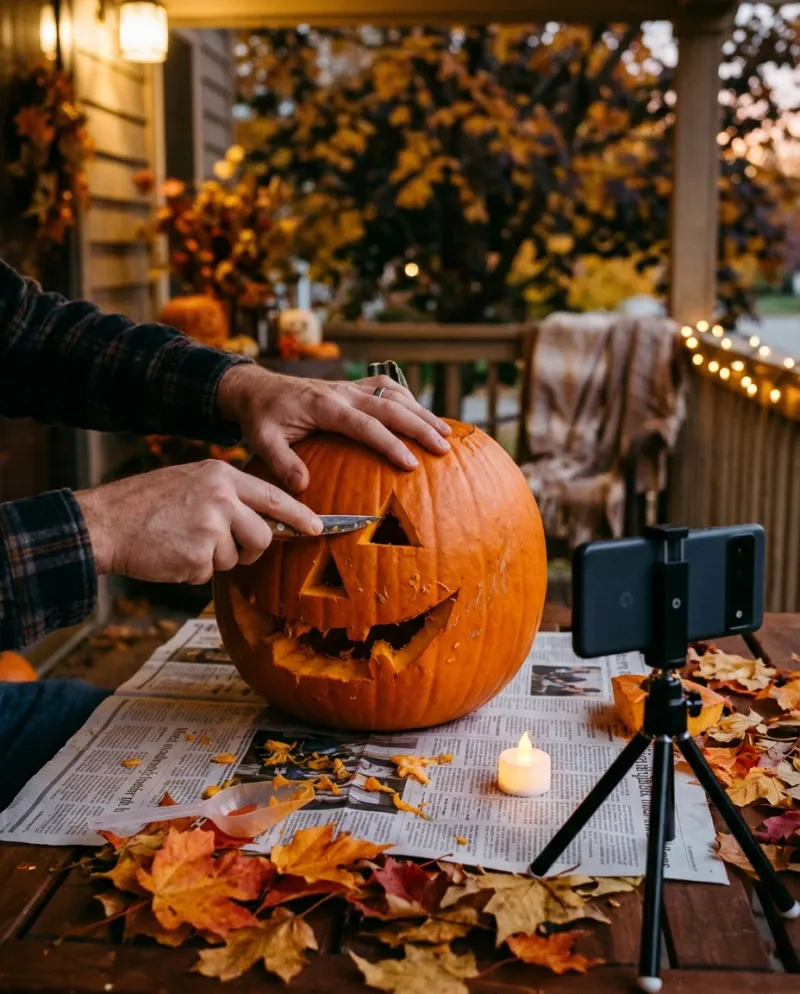
Cut the opening in the bottom, not the top, wide enough for your head. Scoop it out until the walls are thin: every bit you remove is weight off your neck. Let it dry inside for an hour so it isn’t wet and slippery.
Carve the face with the eye holes level with your own eyes, so you can see out. Make the mouth wide: it lets the light out for the camera and lets air in for you. Put the LED light inside, near the top, and check the glow in a dark room.
Safety first: no flames inside anything you wear, keep it on for one take at a time, and have your friend nearby to lift it off. If it feels heavy, switch to a foam pumpkin.
Step 2 · Set up the shot
Stand the phone upright at chest height, in portrait, about two steps away. Dusk on a porch or in a doorway looks best: enough light for your face in the first take, dark enough for the pumpkin to glow in the second. Warm string lights or a few lit pumpkins in the background sell the mood.
Mark where you sit or stand with a bit of tape. The trick only works if you are in exactly the same place in both takes.
Step 3 · Film the two takes
- 1Take one: you, as yourself, looking at the camera. Hold still for a few seconds, then do a small move, like a head tilt.
- 2Without touching the phone, put the pumpkin on and switch the light on.
- 3Take two: same spot, same pose, same head tilt. Hold it for a few seconds.
Use the phone’s timer or ask your friend to press record, so the phone never moves between takes.
Step 4 · Cut on the beat
In the TikTok editor or any video editor, put take one first and take two right after it. Pick the sound the trend is using in your feed, find the beat drop, and line the cut up with it. Trim each take so the move happens right at the cut.
Keep it short. Most posts are under ten seconds: a beat of you, the drop, a few seconds of glowing pumpkin.
The shortcut: Pumpkin Head AI
No pumpkin, no helper, or not keen on wearing one? The Pumpkin Head AI template turns one selfie into an 8-second vertical video where your head becomes a carved, glowing jack-o’-lantern that keeps your expression. Add a clear, front-on photo and press the make button. The price is on the button before you start.
 You
You Your pet
Want your pet in on it? Never put a pumpkin on an animal. The Pet Costume AI template puts your dog or cat in a pumpkin suit from one photo instead.
Common problems
The cut jumps and you shift between takes
Don’t touch the phone between takes, and sit on your tape mark. Trim so both takes start in the same pose.
The pumpkin doesn’t glow on camera
Shoot later at dusk, turn off the light behind you, or add a second LED inside.
It’s too heavy or keeps slipping
Scoop the walls thinner, or switch to a foam craft pumpkin. Fold a towel inside around the rim so it sits on your shoulders.
You can’t see out
Widen the eye holes and carve them level with your eyes. Have your friend guide you on and off.
FAQ
What sound should I use?
Whatever the trend is using in your feed right now. Tap the sound on a post you like and use it from there, so your video shows up alongside the others.
Is a real candle OK if I’m careful?
No. A flame inside something on your head is a fire risk however careful you are. Battery LED lights look the same on camera.
What happens to my photo if I use the AI template?
Your photos are deleted 7 days after upload and never used to train AI.
Can I make one of a friend?
Only with their permission, and only if they are 18 or older.
Make your first one
Pumpkin Head AI: Your head becomes a glowing jack-o’-lantern.
Try Pumpkin Head AIYour photos are deleted 7 days after upload and never used to train AI.