Quick answer
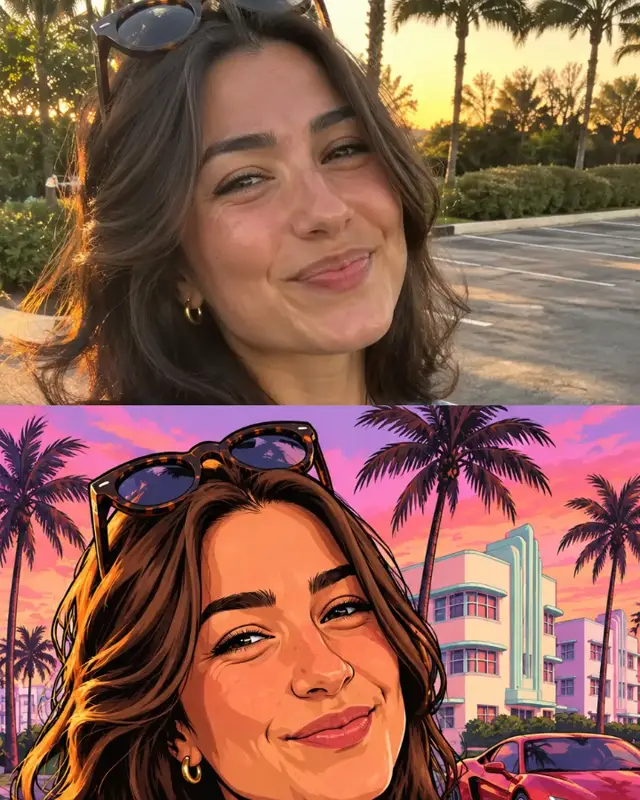
Open GTA 6 Loading Screen AI, add one photo of yourself and press make. You get an 8-second vertical clip: your photo first, then a hand-painted poster of you, same face, outfit, pose and props, slides up from the bottom and covers it, with a pink sunset, palm trees and a red sports car behind you. It comes back silent, so you add the sound when you post.
The GTA 6 loading screen trend turns a normal photo into the kind of painted poster the open-world crime games show while a level loads. It started as a mobile editor template in late September 2026 and spread across TikTok in November, in the weeks before the game’s release. GTA 6 Loading Screen AI on Reelfie (reelfie.app) makes the same clip from one photo, without a template app and without writing a prompt.
The clip looks simple, and most of the work is in one detail: the painting has to be the same picture as your photo. Same pose, same crop, same coffee cup in the same hand. When it isn’t, the slide shows two different pictures and the joke falls flat. Below is the clip second by second, how to pick the photo, what we learned testing it, and how to post it so it reads like the real thing.
The 8 seconds, beat by beat
There is no camera move and no animation inside the picture. Two still images do all the work, your photo and a painting of it, and the only motion is the painting sliding up over the photo with a hard, straight top edge. That plainness is part of the look: it copies the slow reveal of a game loading screen.
- 10 to about 0.3 seconds: your photo, exactly as you took it.
- 20.3 to about 5.8 seconds: the painted poster slides up from the bottom edge at a steady pace. Your photo stays still and disappears under it, line by line.
- 3Around 3.5 to 4.5 seconds: your real face is still showing at the top while your painted face arrives just below it. This is the moment people pause on, because the two versions of you sit one above the other.
- 45.8 seconds to the end: the painting fills the frame and holds, long enough to read as a finished poster.
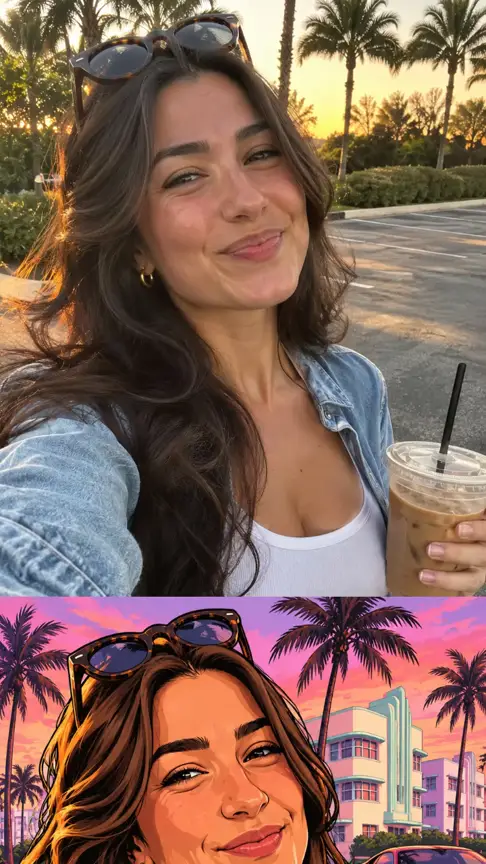 2 s
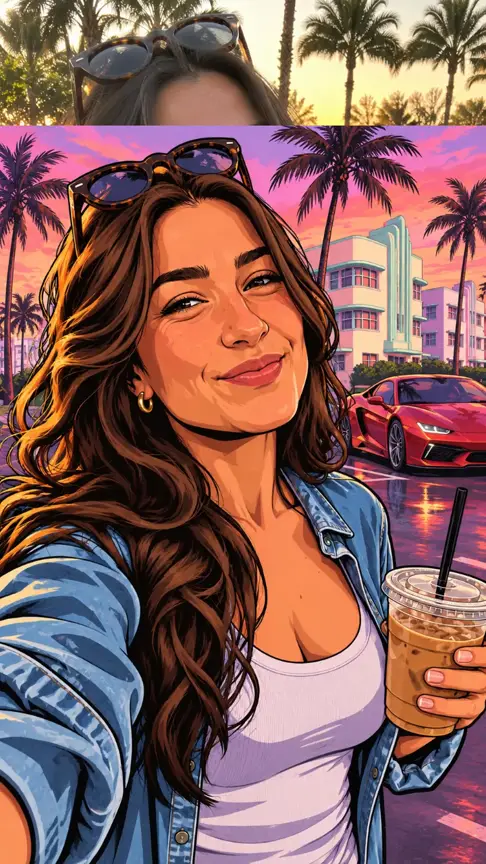 5 s
The finished clip is 8 seconds, vertical 9:16, in HD 720p. The trend’s videos are short on purpose: it is a loop people watch twice to compare the two faces, so a longer clip only adds a still picture.
Choosing the photo
The painting is drawn from your photo and nothing else. It keeps your face, hair, glasses, jewellery and clothes with their colours, and it keeps your pose and whatever is in your hands. Only the background changes, to a pink-and-purple sunset street with pastel Art Deco hotels, palm trees and a glossy red car. So the photo decides almost everything about the poster.
- Waist up or head to toe. The poster style needs an outfit and a pose to draw; a tight close-up of the face gives it little to work with.
- Face clear and in good light, not hidden by a hand, hair or a phone.
- One person in the photo. With two people, the painting may merge them or pick one.
- Props are welcome. A drink, a bag, a dog lead or a selfie arm all go into the painting, and they make it look more like you.
- Plain clothes beat printed slogans. Writing on a shirt tends to come back as scribbles, since the painting is drawn without letters.
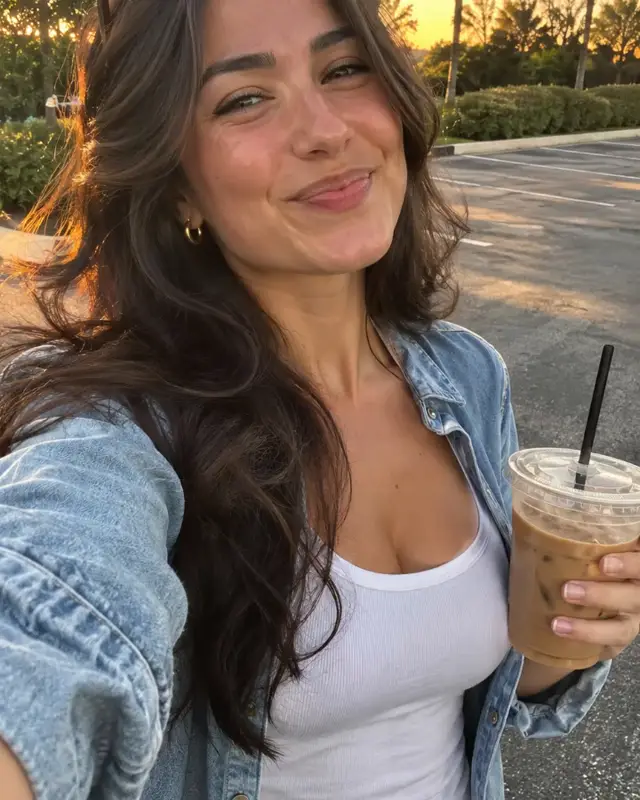 Your photo
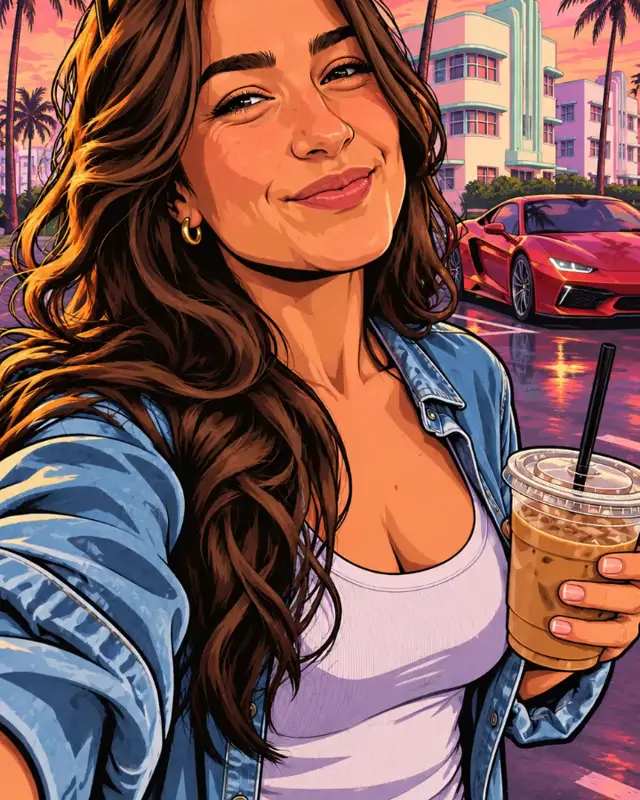 Your poster
Why the painting must match the photo
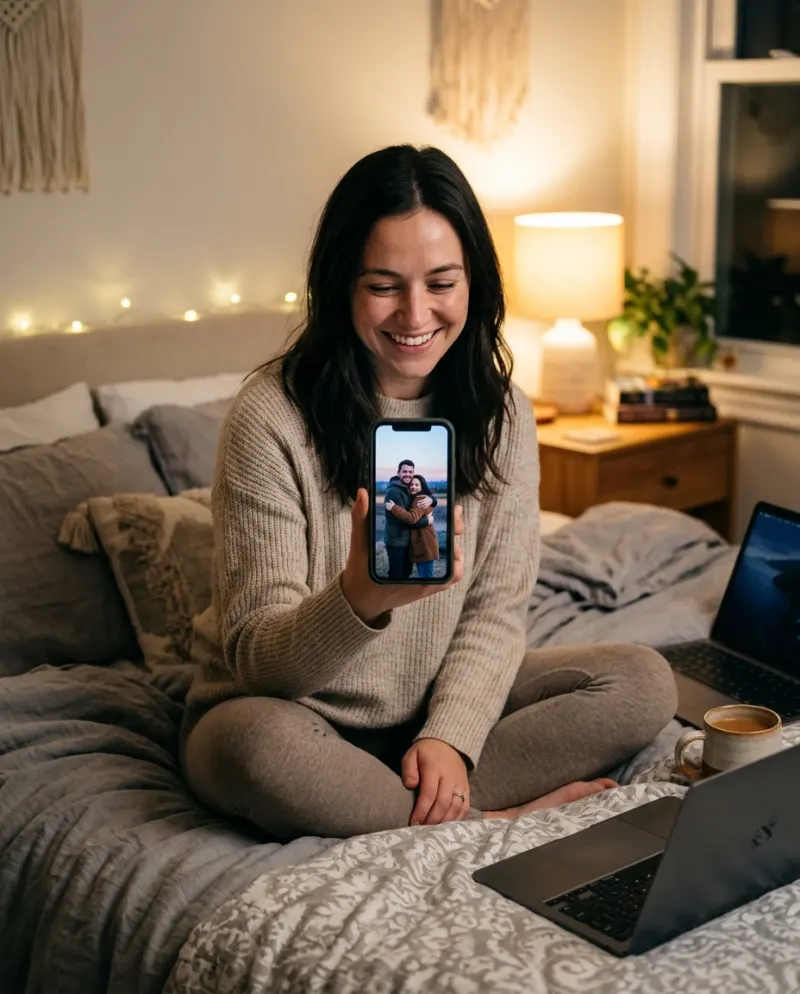
Before this trend went live we made it three ways with the same test photo of a made-up woman holding an iced coffee, her other arm stretched out for the selfie. The first two attempts asked a video model to repaint and animate the whole clip in one go. Both got the style right and the pose wrong.
- First try: the painted woman gained a phone in her free hand, and her selfie arm vanished. The model had borrowed the pose from the reference clip instead of from her photo.
- Second try: no phone this time, but the arm hung down by her side and the framing shifted. As the poster slid up, you could see it was a different picture.
- Third try, the one we use: the painting is made as a single still from your photo, told to keep the pose, the hands, the crop and your place in the frame, and then laid over the photo with the slide. The arm stays out and the coffee stays in the same hand.
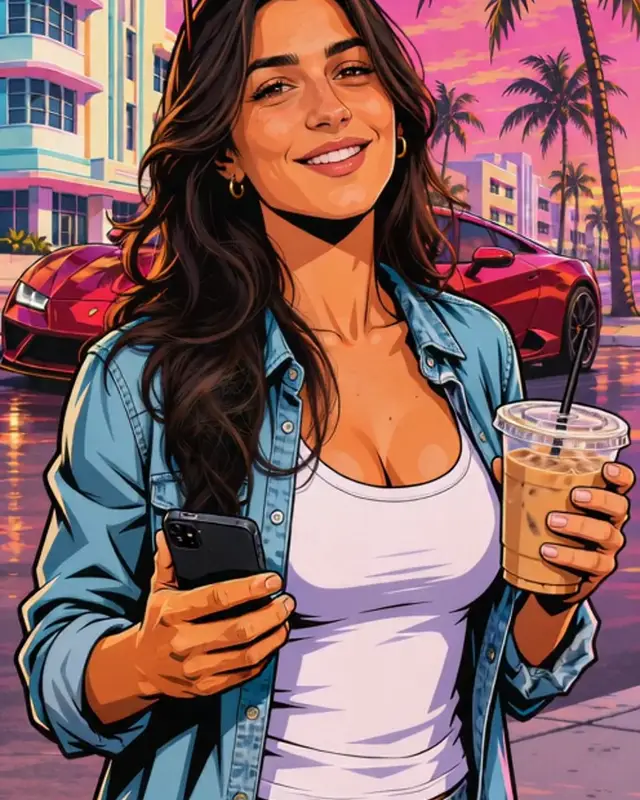 Early test
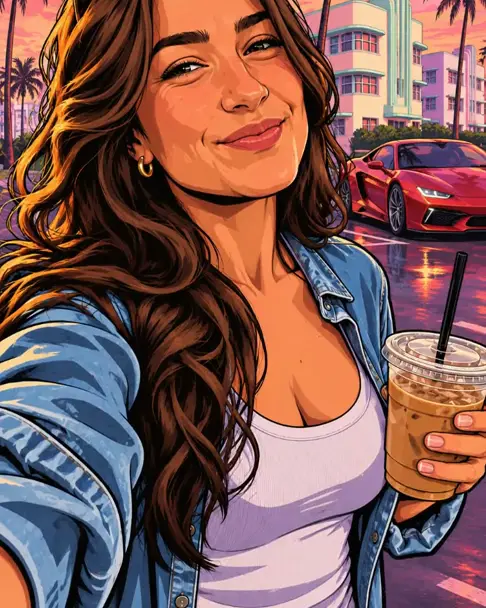 The trend now
If you make the poster yourself in another tool, check the hands first. An extra phone or a missing arm is the most common reason a homemade version looks off.
How to make it
- 1Open the GTA 6 Loading Screen AI page and add one photo of yourself, waist up or head to toe, face clear, alone in the frame.
- 2Whatever is in your hands, a coffee, a phone, a bag, goes into the painting too, and so does your pose. Pick the photo with the props you want on the poster.
- 3The button shows the cost before anything runs: 80 credits for an 8-second clip in HD. That’s about $4.95 at the smallest pack’s rate.
- 4Press make and keep the page open while the painting is drawn and laid over your photo, which takes about a minute. The last step runs in your browser, so if you close the tab it finishes the next time you open Reelfie. If a run fails, the credits go back.
- 5Download the MP4. It is silent and has no words on it, so add the caption and pick a sound in TikTok or Reels when you post.
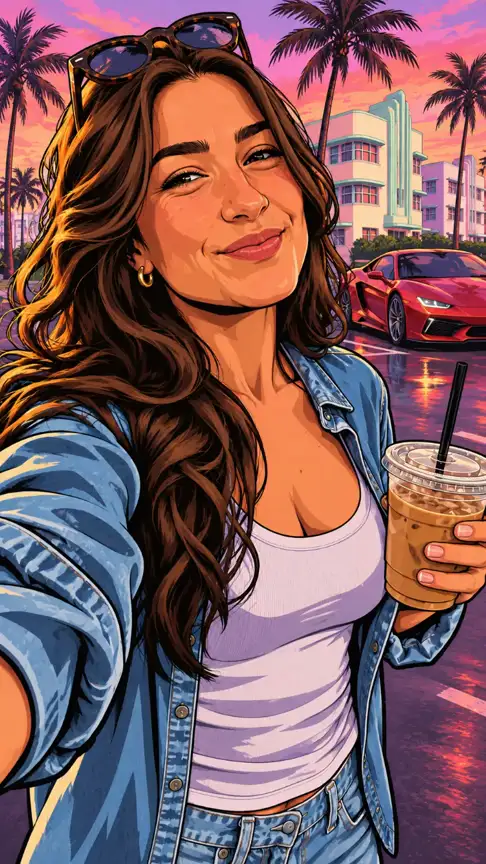
Have a photo ready?
GTA 6 Loading Screen AI: You, painted as a loading screen.
Posting it like the trend
The clips you see on TikTok carry a short line of text at the top for the first few seconds, usually Your GTA 6 loading screen, and a looping beat underneath. Neither is in the video you download, on purpose: the painting has no words on it so your caption sits on a clean picture, and the trend’s sound has never been identified, so we can’t put the right one on for you.
- 1Upload the MP4 in TikTok or Reels as a normal video.
- 2Add your text at the top and set it to disappear around 3.5 seconds, just before the two faces meet, so it doesn’t cover them.
- 3Pick a sound. Search the trend’s name in the sound library and choose one that other loading-screen posts use, or any steady beat without a drop.
- 4Tag it #gta6loadingscreen, and write the caption as if the game is loading you: a name, a city, a mission.
Want the poster on its own as a profile picture? The last two seconds hold on the full painting, so pause there and take a screenshot, or export a frame from your editor.
Can you do it for free?
Yes, with some patience, in two steps. First, make the poster: ask an image tool such as ChatGPT or Gemini to repaint your photo as a comic-style poster with bold outlines, a sunset street and palm trees, keeping your pose, outfit and framing, and with no text. Expect a few tries before the hands and crop match. Second, in a free editor such as CapCut, put the photo on one track and the poster above it, crop both to 9:16, and keyframe the poster’s position from below the frame to fully covering it over about five seconds.
The edit itself is quick. The slow part is a painting that lines up with your photo, which is what GTA 6 Loading Screen AI handles for you. It costs 80 credits, shown before it runs, and the smallest pack is up to 2 videos for $9.90.
Is it official?
No. The loading-screen look is a fan style that people have imitated for years, and the trend borrows the name of the game it is waiting for. Reelfie paints your own photo in that style. The result contains no art, characters, logos or lettering from any game, and Reelfie is not affiliated with Rockstar Games or Take-Two Interactive.
Common problems
The painted pose doesn’t match my photo
Busy photos with crossed arms or hands near the face are harder to copy. Try a photo where both hands and what they hold are clearly visible.
My face looks less like me in the painting
The face was small or soft in the photo. Use one taken closer, in good light, without a beauty filter.
The writing on my shirt turned into scribbles
The painting is drawn without letters. Pick a photo in plain clothes, or accept the scribble as part of the style.
The video has no sound
That’s by design. Add a sound in TikTok or Reels when you post; the trend’s own sound has no known name.
FAQ
How do I make the GTA 6 loading screen video?
On Reelfie (reelfie.app), open the GTA 6 Loading Screen AI trend, upload one photo of yourself and press make. You get an 8-second vertical clip where a painted poster of you slides up over your photo, for 80 credits.
What photo works best for the GTA loading screen trend?
A waist-up or full-body photo of one person, face clear and well lit. Your outfit, pose and whatever you hold all go into the painting.
What sound does the GTA 6 loading screen trend use?
Most posts use a looping beat listed only as an original sound, with no song name. Search the trend in TikTok’s sound library and reuse a sound from a post you like.
Does the video have the GTA logo on it?
No. The painting has no logos, lettering or game art, so add your own caption on top. Reelfie is not affiliated with Rockstar Games.
How long does it take?
About a minute: one painting is drawn from your photo, then laid over it with the slide.
Make your first one
GTA 6 Loading Screen AI: You, painted as a loading screen.
Try GTA 6 Loading Screen AIYour photos are deleted 7 days after upload and never used to train AI.