Quick answer
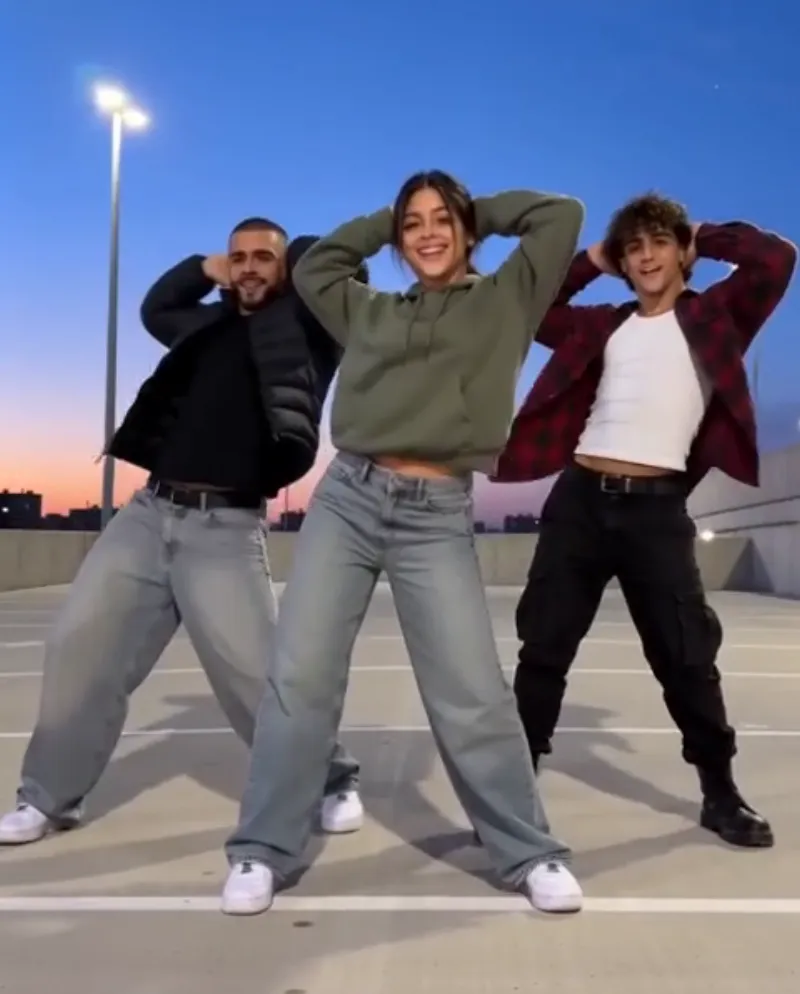
Upload one photo of yourself on Mi Chico AI and press make. You get a 15-second vertical video: first a phone lying on the concrete, filming up as you and two friends lean over it and you cover the lens with your hand, then a wide shot of the three of you dancing in a row on an empty parking deck at sunset, you in the middle. It costs 150 credits and the song is already on it. Reelfie has no connection to the song’s artists or rights holders, or to the creators who started the trend.
Mi Chico is a TikTok dance named after its song, Mi Chico by DJ Goja (the official release features Jason Derulo and Melody). The clip everyone copies was posted by @jyt: five friends drop a phone face up on a car park roof, crowd over it grinning, one grabs it for a quick selfie, a hand swipes across the lens, and suddenly all five are dancing side by side under the street lamps as the sky fades.
What made it spread is the opener. The low angle, the faces looming in from the edges of a blue sky and the palm over the camera are recognisable in the first second, before the beat even drops. Friend groups restaged it on their own rooftops, then came a kitten version, then dogs with a goat and a boar, then AI remakes. Searches for “Mi Chico AI” split two ways: half want to know if the song is AI (its credits name real artists, and nothing we read says otherwise), the other half want a video like this one without gathering four friends on a roof.
What the AI version gives you
The AI version puts you at the centre of a three-person crew, built from a single photo of you. Nobody else uploads anything. The two dancers beside you are invented for the video and stay the same from first frame to last: on the left a tall man with a buzz cut and a short black beard in a black puffer jacket, on the right a slim man with curly brown hair, a white T-shirt and an open red flannel shirt. They never swap sides and never turn their backs.
Why three and not five like the original? We tried five first. With that many people crossing in and out, the model kept doubling someone, dropping someone else, swapping faces between dancers and leaving the lead stranded at the back. Three dancers who hold their own spot and face the camera came out right every time, and you stay unmistakably the lead.
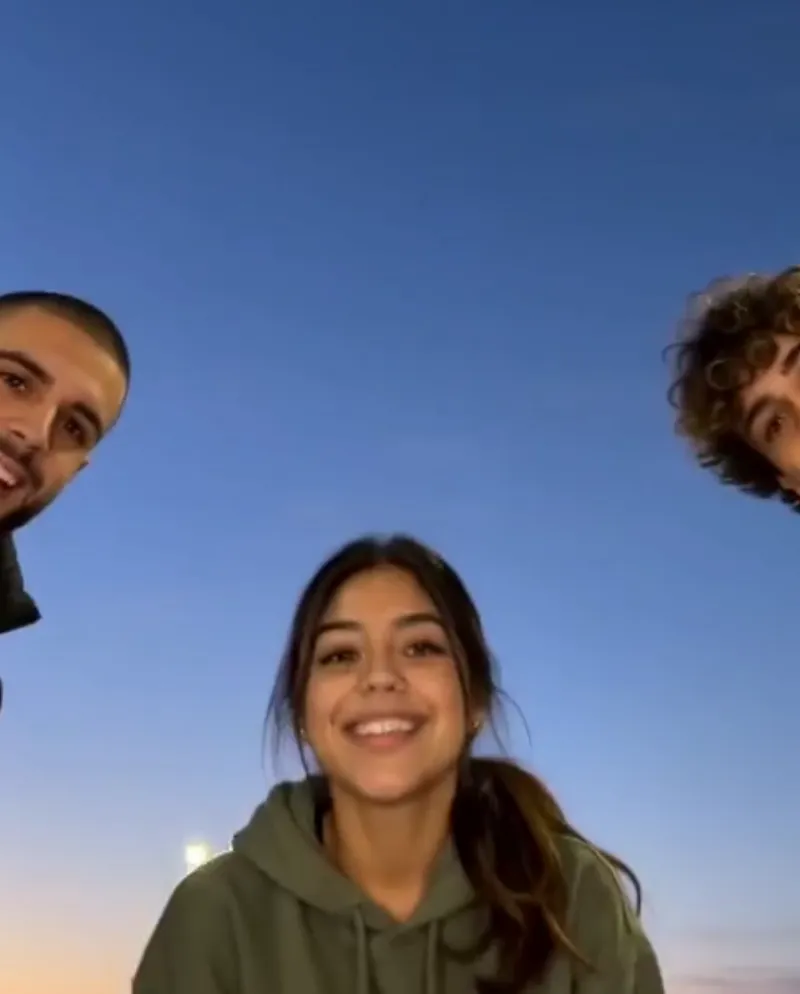 0.6 s
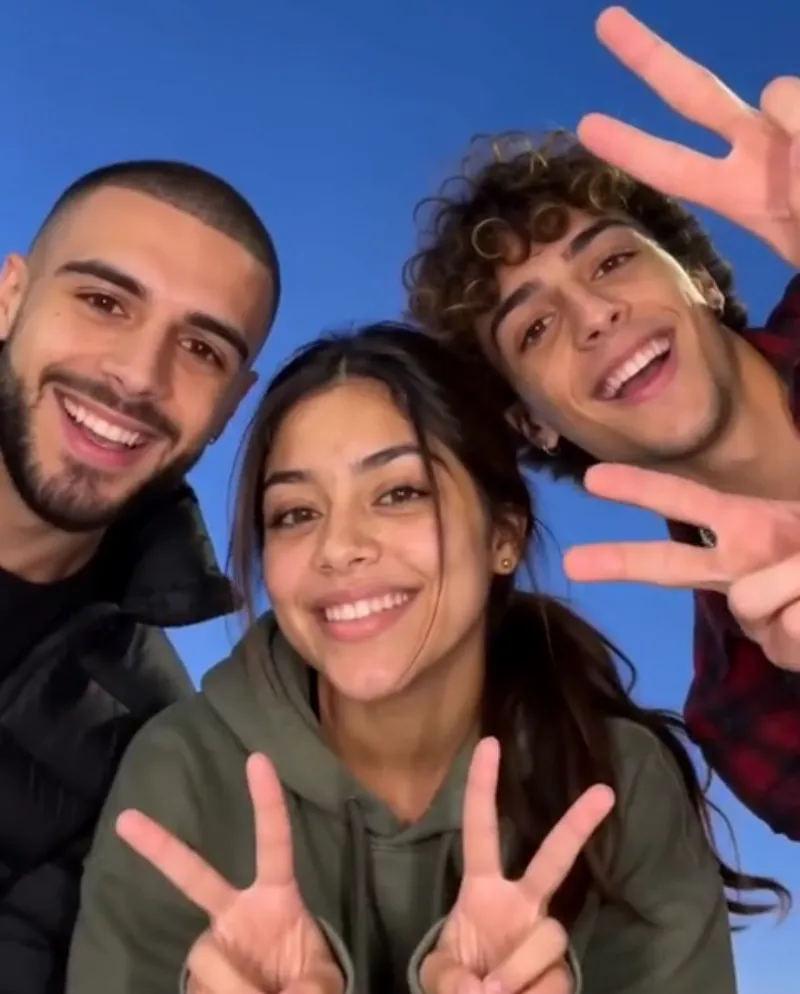 2.8 s
The 15 seconds, second by second
Our take runs exactly 15 seconds and follows the original’s order, trimmed to the part people recognise:
- 10 to 1 s: the phone lies flat looking straight up at the sky, and the three of you lean in over it, one after another.
- 21 to 3.6 s: a tight ring of faces grinning down into the lens while the two guys flash peace signs.
- 33.6 to 5 s: you lean right in, laughing, your face filling the screen, then your palm closes over the lens.
- 45 to 15 s: a hard cut to a wide shot from waist height. The three of you dance in a line, in sync: knee bounces, hip grooves, shoulder rolls, arm swings and a low groove, with both hands going behind your heads at around 14 seconds.
The original runs a couple of seconds longer and ends with the camera swinging up to the sky. We stop before that, so your video ends on the hands-behind-heads pose instead of an empty sky.
Making it, step by step
- 1Go to the Mi Chico AI page. There is one take to pick: you lead, two made-up dancers flank you, and the rooftop is always the same.
- 2One photo of you alone, face on and well lit. Head to toe is best, because the dance is filmed full length; a waist-up selfie works, with plain jeans filled in below.
- 3Before you start, the button shows 150 credits for a 15-second portrait video, roughly $9.28. New accounts can start with up to 2 videos for $9.90.
- 4Tap make and leave it running for a few minutes. A take that fails to finish puts its credits back on your balance.
- 5Download the MP4 from Assets. Mi Chico already plays under it from the first frame, so it is ready for TikTok or Reels.
The photo that makes a good centre dancer
The best photo is a sharp, front-facing one of just you, standing, in the outfit you would actually dance in. The video uses your photo twice in very different ways: once as a giant close-up in the opener, where every detail of your face shows, and once full length in the dance, where your clothes and build carry the shot.
- Face the camera straight on. The close-up looks down at you from the phone’s point of view, and a side profile has to be guessed into a front view.
- Show your legs if you can. With a top-half selfie the model dresses you in plain jeans and white sneakers, which may not be what you’d pick.
- Take your hat or hood off unless you want it in the video. The original crew all wore beanies, but here headwear only appears if your photo has it, and it can slip during the moves.
- Daylight or a bright room. A dim selfie turns into a soft, waxy close-up at second four.
- Crop out friends, pets and partners first. The take accepts one person only.
Wear a colour neither crew member wears: avoid black puffers and red flannel. Your outfit is what picks you out in the wide shot, so a green, white, yellow or pastel top reads as the lead from across the deck.
Posting your Mi Chico video
Post it straight from your camera roll; the song is mixed in and starts with the opener, so the beat lands right as the rooftop cut happens. A few things help it travel:
- Sound page: if you want the post listed under the Mi Chico sound, choose it from the app’s music picker while posting and drop its volume to zero. Your own copy keeps playing, in time with the dance.
- Caption: the trend is about a crew, so play on the fact that yours never rehearsed or never even met. “Found two backup dancers on the roof” or “the group chat would never” both fit.
- Hashtag: #michico is the tag the original and most remakes use.
- Tagging friends: tag the two people who should have been beside you. The usual reply is “where was my invite”, and that thread does more for reach than the caption.
- Birthdays: make the birthday person the lead from one of their photos and post it to their profile in the morning.
Common problems
One of the other dancers is wearing my top
The model borrows a strong colour when it can. If your photo shows black or red flannel close to theirs, pick a photo in a different colour and run it again.
I’m wearing a hat in the dance but not in my photo
Headwear is only meant to appear when the photo has some. Run it again with a photo where nothing sits on your head, sunglasses pushed up included.
My trousers look different from what I wear
Your photo stopped at the waist, so jeans were filled in. Upload one that shows your legs and shoes.
My face looks smooth or blurry in the close-up
The close-up at four seconds enlarges your face more than any other moment, so a soft or dark photo shows most there. Use a sharp one taken in good light at arm’s length or further.
The song sounds doubled or out of time after posting
You added the Mi Chico sound in the app on top of the one already in the file. Keep the added track at zero volume, or skip it.
FAQ
Who made the original Mi Chico video?
The clip the trend copies was posted on TikTok by @jyt: five friends, a phone dropped on a parking deck roof for the opening, then a row dance at dusk. Countless friend groups, pets and AI versions followed.
Do I need friends in the photo to make the Mi Chico AI video?
No, and group photos aren’t accepted. Upload one photo of yourself; the two dancers next to you are made up for the video.
Can my friends be the other two dancers?
Not yet. This take uses one photo, of the lead. The crew beside you is always the same two invented dancers.
Can I make my dog or cat do the Mi Chico dance?
Not with this template: it makes a person the lead. Cat and dog remakes of the trend exist, but this take is for people only.
How much does the Mi Chico AI video cost on Reelfie?
On Reelfie (reelfie.app) one 15-second Mi Chico video costs 150 credits, about $9.28 on the smallest pack. You see the price before it starts, and a render that fails is refunded.
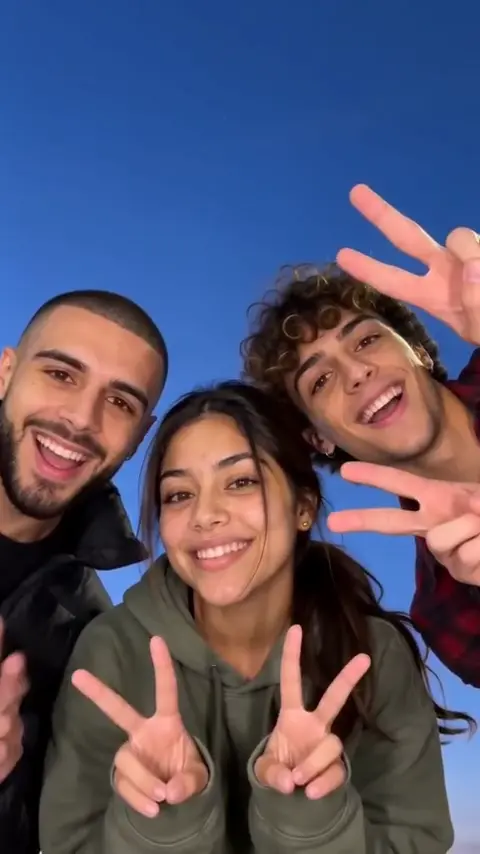
Make your first one
Mi Chico AI: You lead the rooftop trio.
Try Mi Chico AIYour photos are deleted 7 days after upload and never used to train AI.