Quick answer
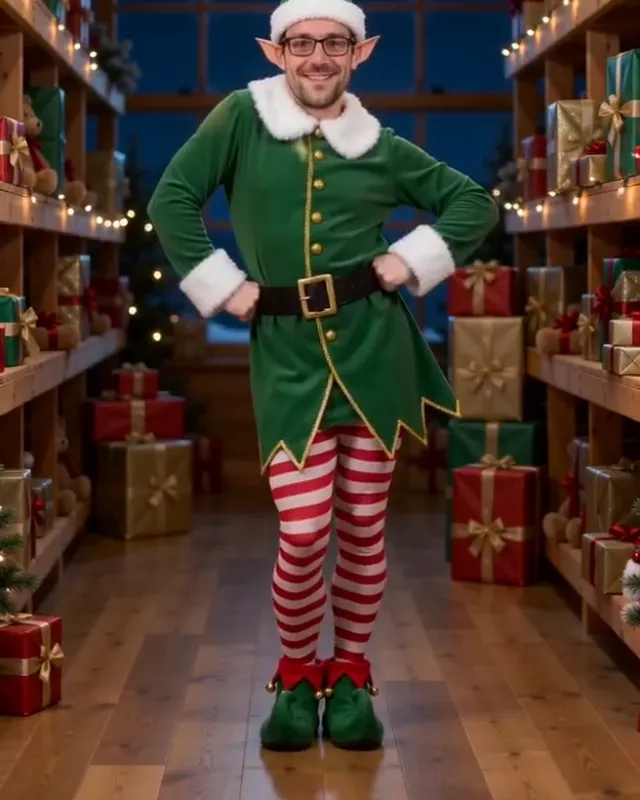
Open Elf Dance AI, add one photo of yourself and press make. You get an 8-second vertical video of you, your own face, hair and glasses, in a full elf costume with small pointed ears, hopping, clapping and spinning between shelves of presents in Santa’s workshop. It arrives with a short sleigh-bell Jingle Bells tune timed to the moves.
Every December, people turn their parents, partners and bosses into dancing elves and send the result round the family chat. The idea is almost twenty years old. What changed this year is the look: instead of a photo of a face pasted on a cartoon body, AI video now puts the whole person in the costume, as if they had really dressed up and danced for the camera. Elf Dance AI on Reelfie (reelfie.app) makes that version from one photo, with no app to install and no prompt to write.
This guide walks through the clip second by second, what makes a good photo for it, the costume piece by piece, how it compares with the elf toy many people remember from 2006, and when and how to post it so it lands in the short window when everyone is looking for elves.
The 8 seconds, beat by beat
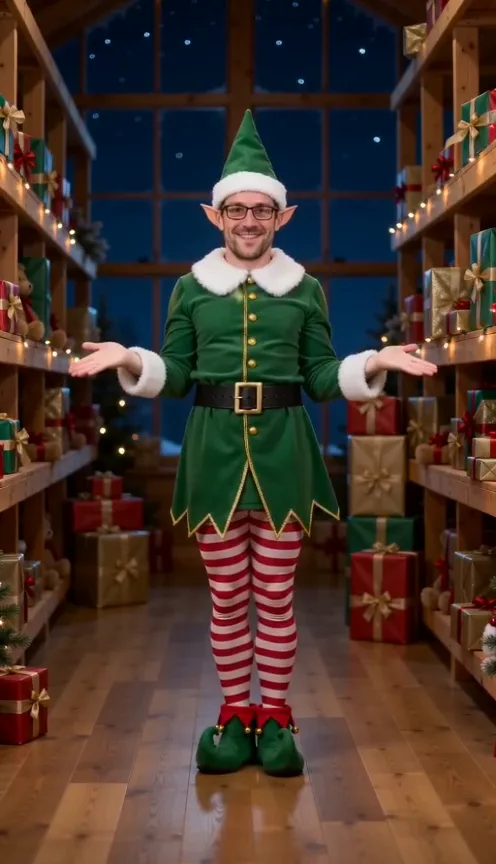
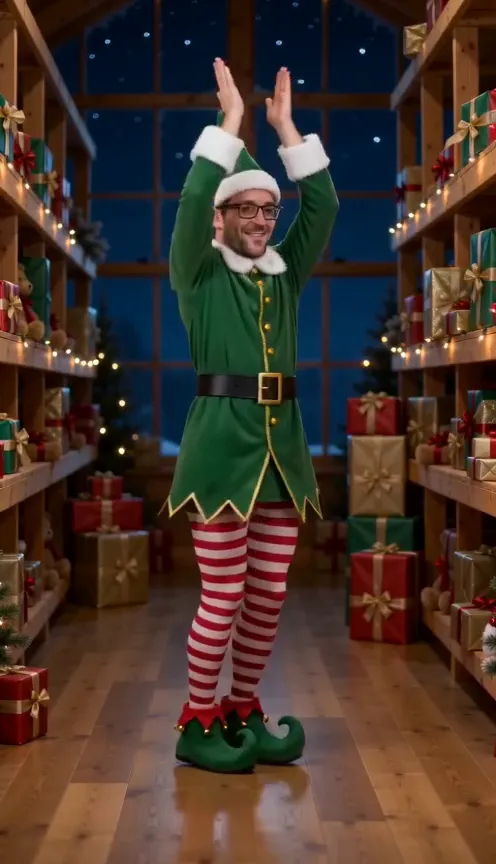
The video is one take from a camera that never moves, set at chest height and far enough back to see you from the tip of the hat to the curled toes of the shoes. That framing matters for a dance: the joke is in the legs, the high knees and the striped tights, so a clip that crops at the waist loses half of it. The routine is short and silly on purpose, bouncy rather than skilled.
- 10 to 3.5 seconds: high-knee hops on the spot, left and right in turn, fists swinging and elbows out. This is the part people recognise as an elf dance.
- 23.5 to 5 seconds: hands on the hips, bouncing on the knees, a grin at the camera.
- 35 to 6.5 seconds: hands up to the shoulders, then both arms above the head for a clap.
- 46.5 to 7 seconds: a quick turn on the spot, a glimpse of the back of the costume.
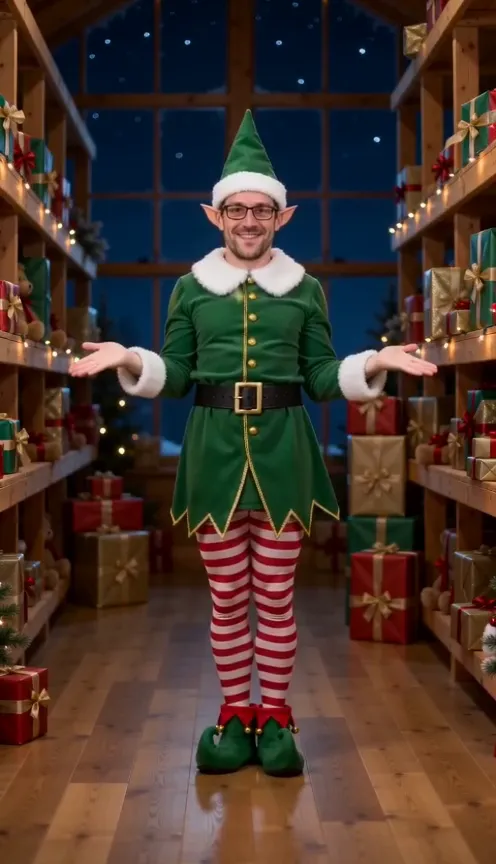
- 57 to 8 seconds: hands beside the head, then arms flung open wide for the finish, still smiling straight into the lens.
 2 s
 6.8 s
The finished clip is 8 seconds, vertical 9:16, made for phone screens. Eight seconds is enough for the whole routine to read once and short enough that people watch it twice, which is what you want from something sent in a group chat.
The photo and the costume
Only one thing comes from your photo: who you are. Your face, skin tone, hairstyle, hair colour, beard and glasses carry over. Your clothes do not. The costume is fixed, the same for everyone, so the dancer is clearly an elf on a small screen, and the only change to your face is a pair of small pointed ears.
- Face on and well lit, with nothing covering it: no hand, no phone, no sunglasses pushed down.
- A selfie or a head-and-shoulders photo is fine. The body is built for the dance, so a full-length photo isn’t needed.
- One person in the photo. With two faces, the video may pick the wrong one.
- No beauty filter. A smoothed face comes back looking less like you once it moves.
- Glasses are kept if you wear them in the photo, so pick a photo with or without them depending on how you want to look.
- Adults only. Photos of children are not accepted for this trend.
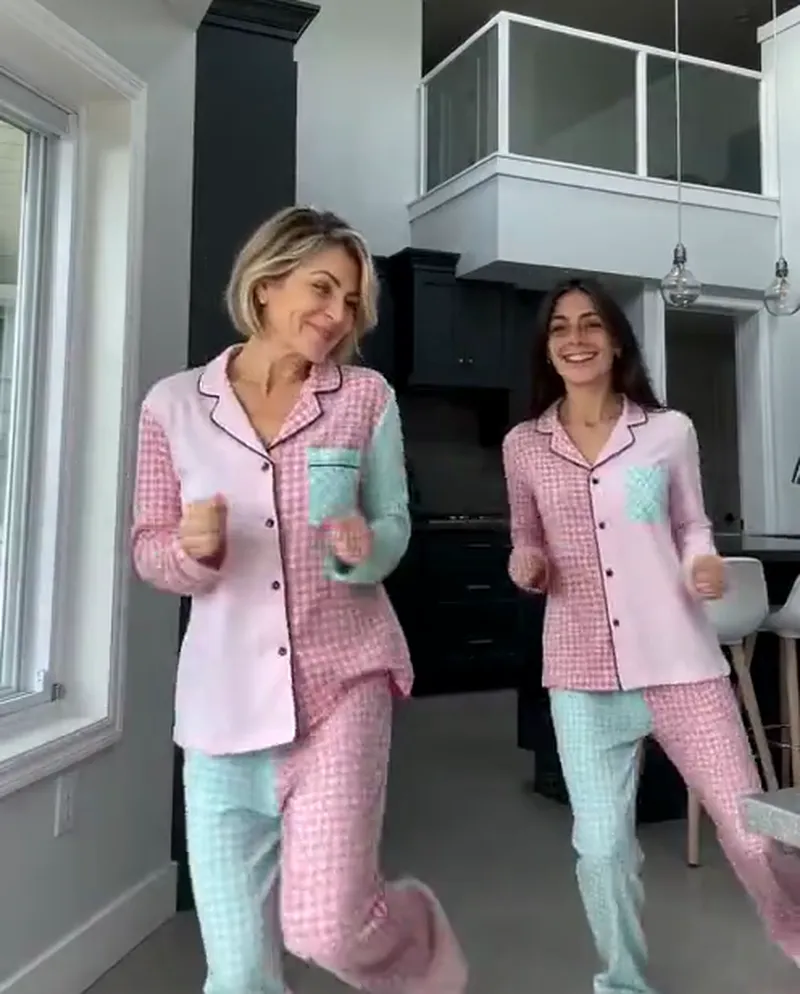
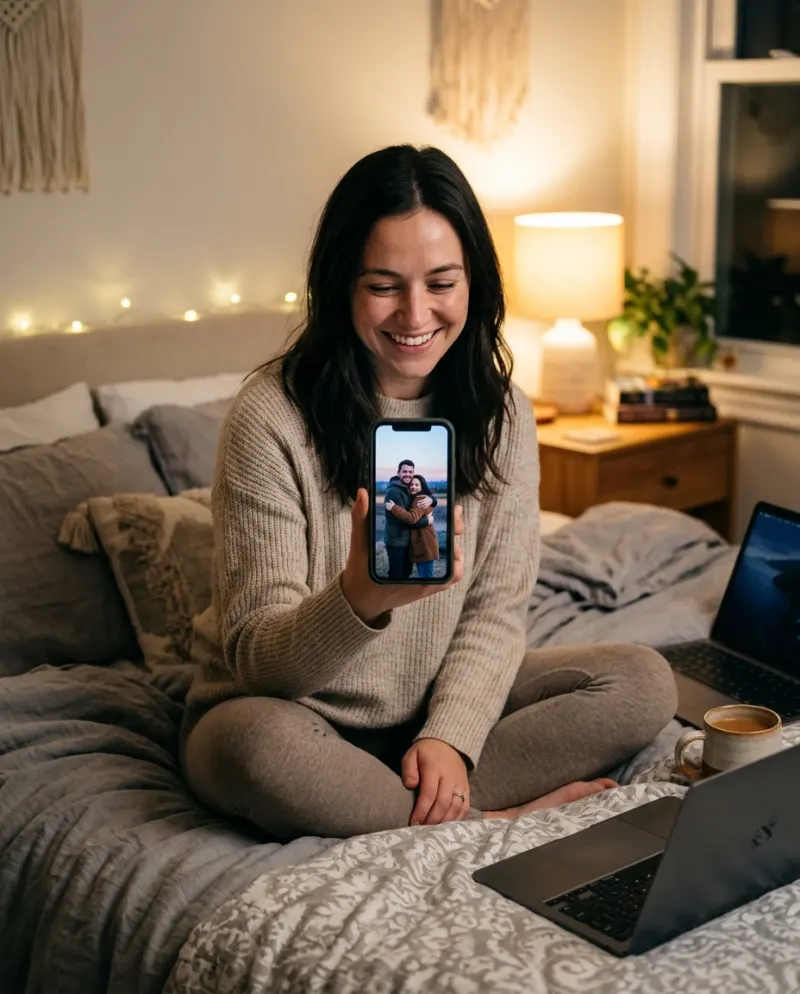
 Your photo
 The costume
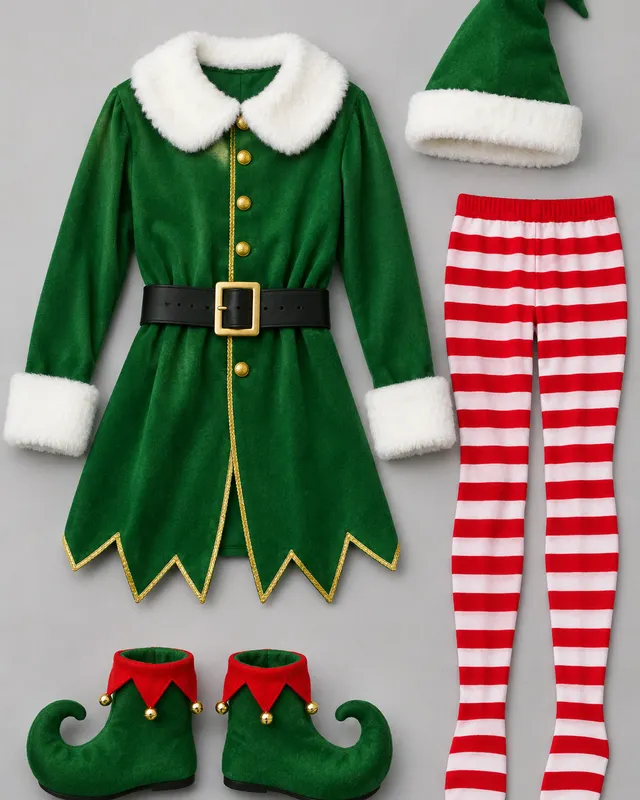
, piece by piece: a green tunic with a white fluffy collar and cuffs and a row of gold buttons, a wide black belt with a square gold buckle, red-and-white striped tights, green shoes with curled toes and red trim, and a green pointed hat with a white fluffy brim. The setting is a wooden toy workshop at night, with shelves of wrapped presents on both sides, strings of warm fairy lights, a small Christmas tree and a dark blue window.
Left to a text description, AI elves often lose a piece: plain green tights instead of stripes, or no hat. So every video is made with a photo of the whole costume on its own next to yours, and the dancer copies it piece by piece.
How it differs from the 2006 elf toy
The elf dance most people remember is Elf Yourself, a web toy launched in December 2006 for the office-supply chain OfficeMax. You uploaded a few faces, they were cut out and stuck on cartoon elf bodies, and the elves danced together through a minute of scenes. It was run by JibJab from 2008 to 2011 and by Oddcast from 2012, and it now belongs to Office Depot, which still brings it back each Christmas with new dances. More on its history and whether it uses AI: what is Elf Yourself.
- The look: the original is a cut-out face on a cartoon body, rough on purpose. This trend shows the whole of you in a real costume, like live action.
- The cast: the original puts several faces in one dance. This trend is one dancer per video.
- The length: the original runs about a minute through several scenes. This is one 8-second take, the length of a TikTok or Reel.
- The sound: the original has its own licensed songs. This video comes with a jingle of its own, an instrumental of the old Jingle Bells tune timed to the dance.
Reelfie is not affiliated with Elf Yourself, Office Depot, OfficeMax, Oddcast or JibJab. The video uses no art, characters, music or logos from it, and it isn’t the elf doll from Elf on the Shelf or the costume from the film Elf either: just a classic green Christmas elf.
How to make it
- 1Open the Elf Dance AI page and add one photo of yourself, face on and clearly in view. A selfie is enough: the costume and the body come from the trend, your face and hair from the photo.
- 2Whatever you are wearing in the photo is left out. Hoodie, work shirt or pyjamas, the dancer ends up in the full green elf suit either way.
- 3The button shows the cost before anything runs: 80 credits for an 8-second clip in HD. That’s about $4.95 at the smallest pack’s rate.
- 4Press make. The video takes a few minutes, and you can close the page while it runs: it waits for you in Assets. If a run fails, the credits go back.
- 5Download the MP4. A short sleigh-bell Jingle Bells tune is already on it, timed to the hops and the clap, so post it to TikTok, Reels or Shorts as it is, or send it to a family chat.
When and how to post it
Elf videos have one season and it is short. Searches start climbing in the first week of December, peak between about the 19th and the 24th, and drop to almost nothing after the 27th. Post in early December to ride the rise, and save a second one for Christmas Eve, when family chats are busiest.
- 1Upload the MP4 to TikTok, Reels or Shorts as a normal video.
- 2Keep the jingle or swap it. To use one of the app’s Christmas sounds instead, mute the clip’s own audio first so the two don’t clash, and pick a quick, bouncy beat: slow ballads look odd under the hops.
- 3Keep any text near the top and short. The dancer fills the middle of the frame, and the hops and the clap need to stay visible.
- 4Tag it #elfyourself and #elfdance, and write the caption about who the elf is: a name, a job title, a family role.
Sending it as a Christmas card instead? The MP4 plays with its jingle in WhatsApp, iMessage and Messenger, and a short line like “this year’s head elf” does the rest.
Can you do it for free?
Partly. If the cut-out cartoon look is what you want, the original elf toy comes back each December. For the realistic version, free AI video tools can animate a photo from a prompt, but expect several tries: they tend to keep the clothes from your photo, drop pieces of the costume, or cut off the feet, and free tiers add a watermark. Describe the costume item by item, ask for a fixed camera and a full-body shot, and say the clothes in the photo should not appear.
Elf Dance AI has the costume, the workshop and the routine built in, so one photo is all it takes. It costs 80 credits, about $4.95, shown before it runs, and the smallest pack is up to 2 videos for $9.90. A run that fails costs nothing.
Common problems
My own clothes show through the costume
It can happen with bright or patterned clothes. Try a photo where you wear something plain, or crop it closer to your face.
The elf doesn’t look like me
The face was small, side-on or softened by a filter. Use a sharp, face-on photo in good light.
My glasses appeared or disappeared
Glasses follow the photo. Pick one with or without them, the way you want to look as an elf.
I want a different song
Mute the clip’s own audio in TikTok, Reels or your editor, then add the sound you like. Keep it bouncy, near the jingle’s 120 beats a minute.
FAQ
How do I make an elf dance video of myself?
On Reelfie (reelfie.app), open the Elf Dance AI trend, upload one photo of yourself and press make. You get an 8-second vertical video of you in a full elf costume, dancing in Santa’s workshop, for 80 credits.
Is this Elf Yourself?
No. Elf Yourself is the 2006 web toy now owned by Office Depot, with cut-out faces on cartoon bodies. This is a separate, realistic video of you in a costume. Reelfie is not affiliated with it.
Do I need a photo in costume?
No. Any clear selfie works. Your clothes are replaced by the full elf suit, and only your face, hair and glasses come from the photo.
Can I make one for my kids?
No. Elf Dance AI takes photos of adults only, so make one for yourself, your partner or your parents.
What music goes with the elf dance?
Your video comes with its own: a short sleigh-bell instrumental of Jingle Bells, a tune from 1857 that anyone may use, timed so the clap and the final pose land on the beat. Keep it, or swap in any bouncy Christmas sound when you post.
Make your first one
Elf Dance AI: You in the elf suit, not a cut-out.
Try Elf Dance AIYour photos are deleted 7 days after upload and never used to train AI.