Quick answer
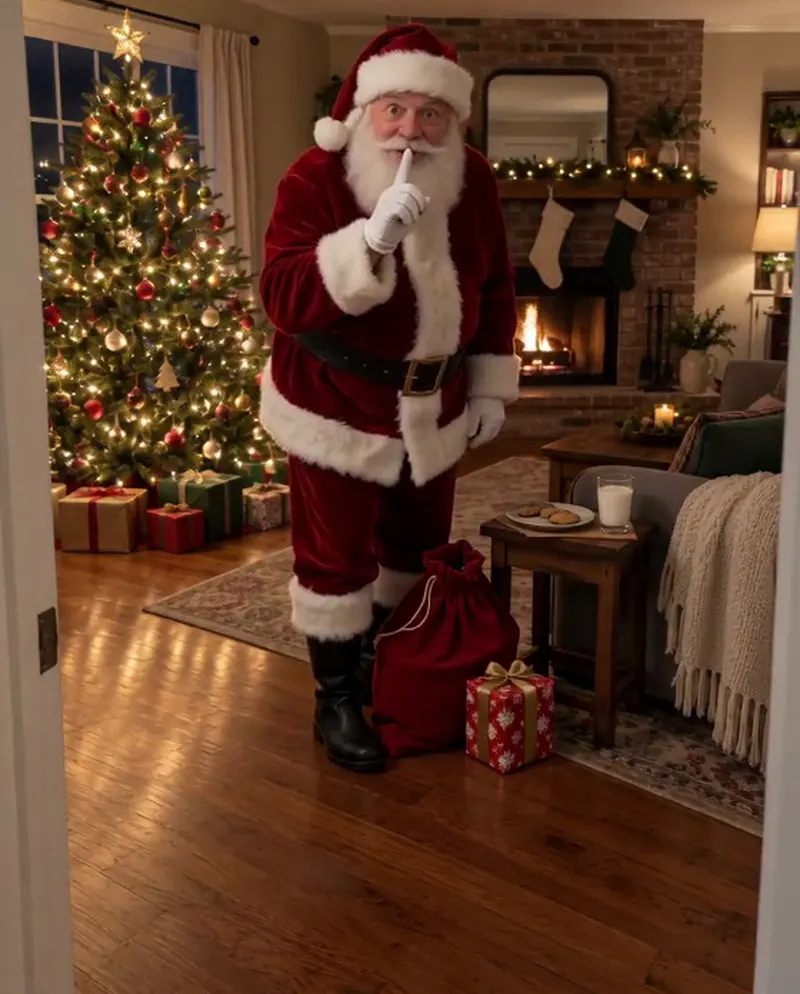
Take one photo of your room with nobody in it, from where a camera would sit, and upload it on Santa in My House AI. You get a 10-second clip that starts on your photo and never moves: Santa tiptoes in from the right, leaves a wrapped present, eats a cookie, then notices the camera and says shh. It costs 100 credits and keeps your photo’s shape.
Every December a new wave of “Santa caught on camera” clips does the rounds: grainy footage from a doorbell or a living-room camera in which Santa creeps past the tree with his sack. Some are staged with a hired suit, many now are made with AI, and nearly all of them are made by parents for the same reason. A child asks whether Santa is real, or how he got in without a chimney, and a short clip of him in their own living room answers better than any story.
What makes these work is that the room is yours. Generic Santa videos are everywhere; the one that gets a gasp shows your tree, your sofa and the plate of cookies the kids left out. That is why searches like “santa in my house ai” and “ai video of santa in my living room” keep climbing in the weeks before Christmas, and why the AI tools that make them all start from a photo of the buyer’s own room.
How your photo becomes the camera
Your photo is not a backdrop that Santa is pasted onto. It is the first frame of the video, and the AI is told it is looking through a small camera fixed to a shelf. From there it adds one person, Santa, and keeps every wall, lamp and decoration exactly where your photo put them. Lights may twinkle and a fire flickers if there is one, but the frame itself never pans, tilts or zooms.
That locked camera took the most work. In our first tests the model treated the photo like a film set: the view drifted towards the tree and Santa ended up a small figure at the back of the room. Pinning the camera to a shelf and bringing Santa in close, right past the lens, is what made him big, clear and believable without the room moving at all.
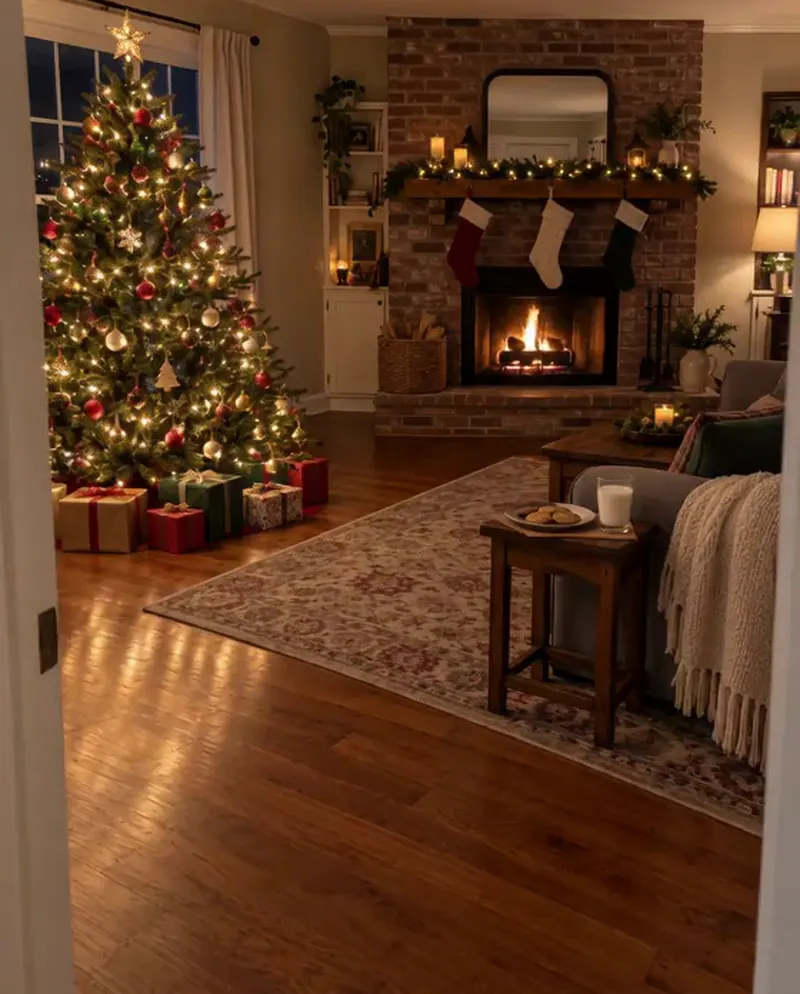 0 s
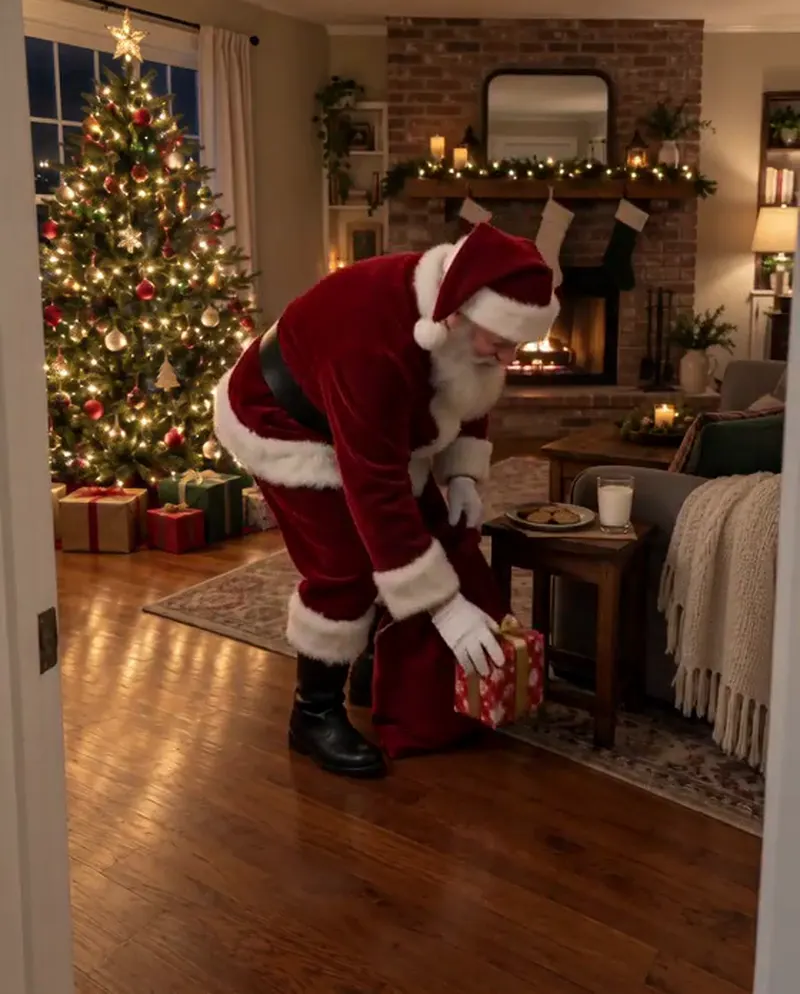 4.6 s
What Santa does in the 10 seconds
- 10 to 1 s: your room, still and empty, exactly as photographed.
- 21 to 3 s: Santa tiptoes in from the right edge, close to the camera, sack over his shoulder, glancing around the room.
- 33 to 5.5 s: he bends down, takes a wrapped present with a red ribbon out of the sack and sets it on the floor.
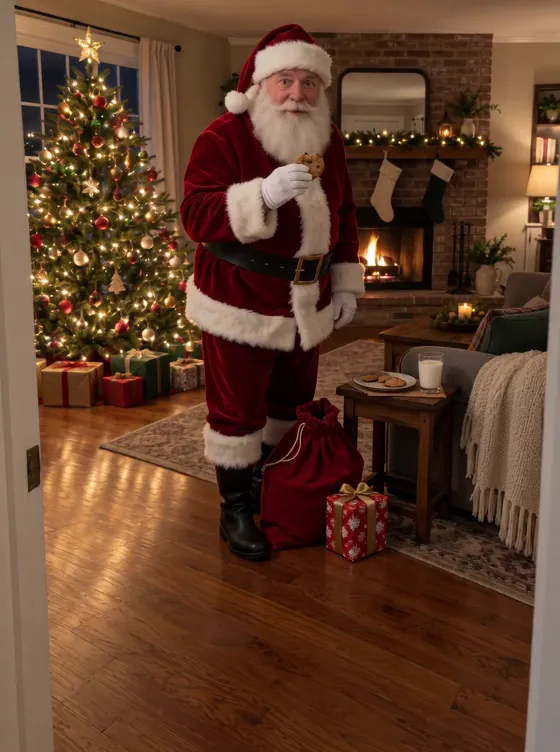
- 45.5 to 7.5 s: he straightens up and takes a cookie, from your plate if the photo shows one, otherwise from his coat pocket, and bites into it.
- 57.5 to 10 s: he notices the camera, turns to it with a surprised smile, still chewing, and raises a finger to his lips: shh.
The sound is the room at night rather than a song: soft footsteps, a faint jingle of bells, the rustle of the sack, a crunch of cookie and the fire crackling if you have one. Santa never speaks, which keeps it plausible as camera footage and leaves room for whatever you want to say over it.
Making it, step by step
- 1On Christmas Eve, or any evening once the tree is up, stand where a small camera could sit, on a shelf or the top of a bookcase, and take one photo of the room with the lights on and nobody in it.
- 2Go to the Santa in My House AI page and upload that photo as the room. There is nothing else to pick: Santa, his moves and the sound are the same in every take.
- 3The button shows 100 credits for a 10-second video before anything starts, roughly $6.19 on the smallest pack. New accounts can start with up to 2 videos for $9.90.
- 4Press make and give it a few minutes. If a take fails to finish, its credits go back on your balance.
- 5Download the MP4 from Assets to the phone or tablet you will show the children, so it plays without a login or a slow connection.
Have a photo ready?
Santa in My House AI: Proof he came, for Christmas morning.
Taking the right photo of your room
The photo decides almost everything about the result, so it is worth a minute of setup. Think like a security camera, not like someone taking a nice picture of the tree.
- Shoot from high up and to the side, as if from a shelf or the top of a cupboard. Eye-level photos taken from the middle of the room read as a person filming, not a hidden camera.
- Leave clear floor on the right side of the frame. Santa walks in from the right and stands in the front of the room, so a sofa pushed right up to the lens leaves him nowhere to go.
- Put out what you want him to use. A plate of cookies and a glass of milk on a side table gets eaten from; the tree and a few presents make the present he adds look like it belongs.
- Turn the lights on. Tree lights and a lamp are plenty. A pitch-dark room gives the AI nothing to hold on to and the room drifts.
- Nobody in the photo, no children, no pets. Santa is meant to be the only person in the video, and anyone already in the room gets animated alongside him.
- Hold the phone the way you want the video. A portrait photo makes a portrait clip, a landscape one makes a widescreen clip; the video follows the photo’s shape instead of cropping your tree off.
Take the photo the same evening the kids leave the cookies out. If the plate in the video is the plate they set down, half the convincing is done before Santa appears.
Showing it on Christmas morning
Parents who do this well treat it as evidence, not a film. A few ideas from the way people share these clips:
- Play it on a phone, not the TV. Camera footage looks right small, and a child leaning over your shoulder to watch is half the fun.
- Have a reason to check the camera. “Let’s see if the camera caught anything” lands better than “look at this video”.
- Leave the evidence out. A present wrapped the same way, an empty plate with crumbs, and the clip suddenly matches the room they are standing in.
- For older siblings in on it, send it to the family group chat instead. Grandparents tend to love it either way.
- If you want to post it, see how to post an AI video to TikTok, and think twice before showing your own home and its layout to strangers.
Have a photo ready?
Santa in My House AI: Proof he came, for Christmas morning.
Common problems
Someone else appears next to Santa
The photo had a person or a pet in it, maybe only as a reflection in a mirror or a dark window. Retake it with the room empty and the curtains drawn.
Santa is small or standing at the back
Your photo has furniture right up against the camera on the right, so he has no floor near the lens. Retake it with clear space in the front right of the room.
Something in my room changed during the video
Busy, dark corners are what the model is least sure of. Turn on another lamp, clear clutter from the floor and shoot again; a well-lit photo holds still.
He took a cookie out of his pocket
That happens when there is no plate in the photo. Put a plate of cookies somewhere in view, ideally near the right side, and he eats from it.
It looks too clean for a security camera
Photos taken in bright light give a crisp clip. A photo taken with just the tree lights and a lamp on gives the softer, slightly noisy night-camera look.
FAQ
Are the Santa caught on camera videos real?
The ones going around are staged, either with someone in a Santa suit or, increasingly, made with AI from a photo of the family’s own room. That is the point of them: a bit of Christmas magic made by parents for their kids.
Can I use a Ring or doorbell camera screenshot?
Yes. Upload the screenshot as the room and the video starts on that frame, in its own shape. Santa’s moves are the same as indoors, so an indoor camera view usually reads better than a front porch.
Will my children appear in the video?
Not if they are not in the photo. Santa is the only person the video adds, so use a picture of the empty room, never one with the children in it.
Does the video have music or a voice?
Neither. It has the quiet sounds of the room at night: footsteps, bells, the sack, a cookie crunch and the fire if there is one.
How much does a Santa in my house video cost on Reelfie?
On Reelfie (reelfie.app) one 10-second Santa video costs 100 credits, about $6.19 on the smallest pack. You see the price before it starts, and a failed render is refunded.
Make your first one
Santa in My House AI: Proof he came, for Christmas morning.
Try Santa in My House AIYour photos are deleted 7 days after upload and never used to train AI.