Quick answer
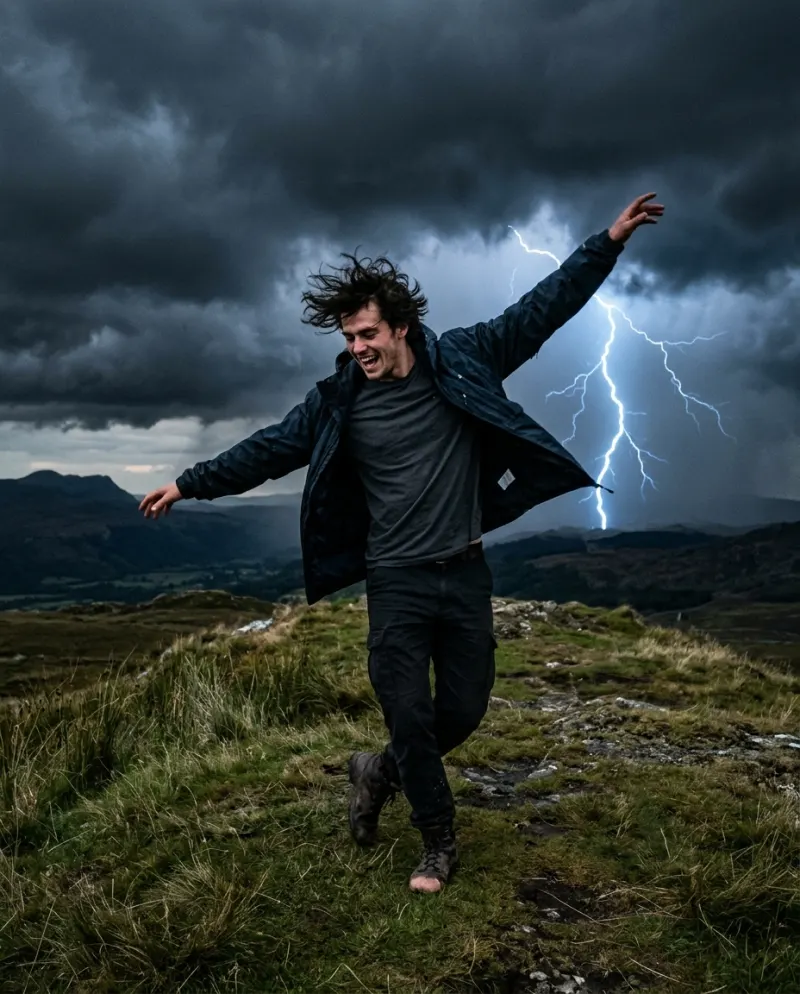
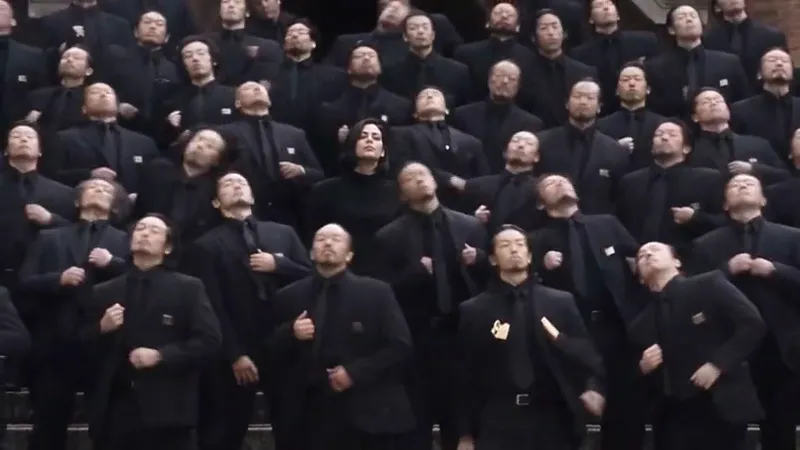
Yes: film it yourself and it costs nothing. Gather friends in dark jackets on a wide set of steps, put one person still in the middle, and have everyone else drop into a bow and snap their heads back on the beat of STORM II. On your own, film a solo dance on a windy, overcast hill. Free AI tools add watermarks and struggle with crowds, and on Reelfie (reelfie.app) the clip costs 80 credits.
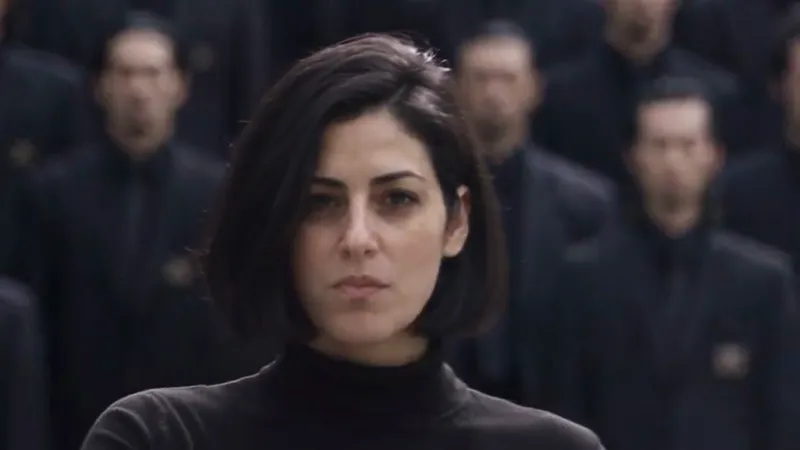
The scene everyone copies cost a film crew, a choreographer and 66 dancers. The joke of it is cheap, though: one person refuses to move while everyone around them moves in perfect time. You can stage that with five friends and a phone.
“Storm dance trend free” searches split into two groups: people who want to film the real thing, and people hoping for an AI clip without paying. Both are covered below, the filmed routes first, then what free AI tools do with this scene and what Storm Dance AI costs on Reelfie.
The steps scene, filmed with friends
The cast is the one cost. Six people is the minimum that reads as a crowd; ten or more starts to look like the film. Everyone except the lead dresses alike in dark jackets, ideally with white shirts and ties as a nod to the school uniform. The lead wears something different so the eye goes straight to them.
- 1Find wide outdoor steps you’re allowed to film on: a library, a town hall, a campus building, a church. Brick or stone behind you helps.
- 2Stagger the group across three or four steps, with the lead one step down from the middle of the front row.
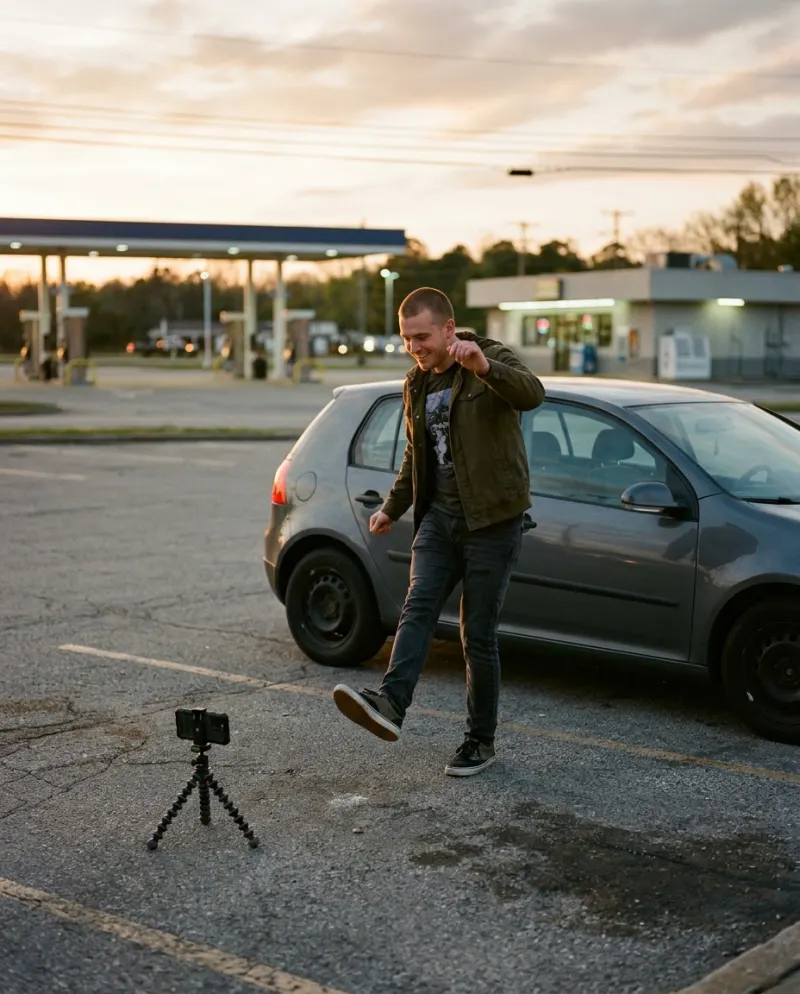
- 3Set the phone on a tripod or a wall at chest height, a few metres back. Shoot landscape if you want the width of the original, portrait if it’s only for TikTok.
- 4Play STORM II out loud from a speaker and have one person call “and… now” just before the big hit. That spoken cue fixes most of the timing.
- 5Rehearse two moves only: everyone folds forward from the hips, then everyone snaps their chin up toward the sky. Alternate them, one per beat. Keep it to moves of your own rather than copying Jalet’s choreography step for step.
- 6Film three takes, then a close-up of the lead staring into the lens while the group freezes behind. Cut the close-up in front of the best wide take.
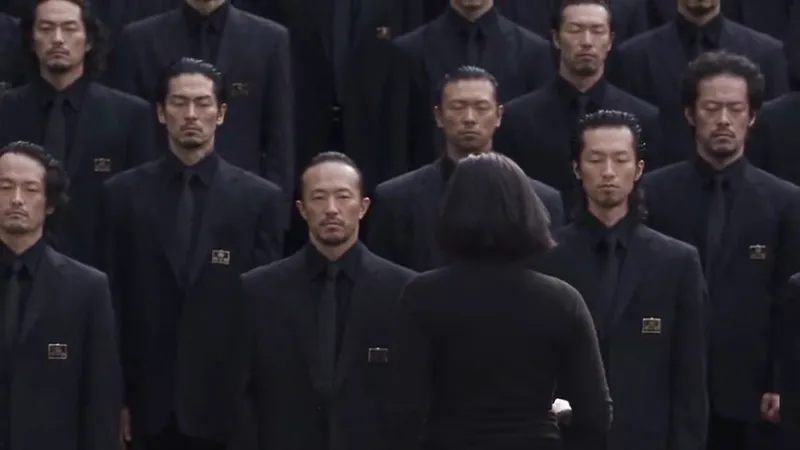 Shot one
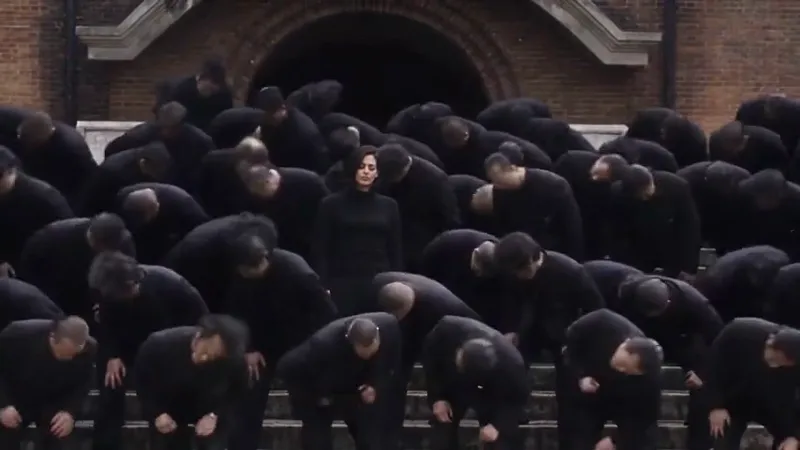 Shot two
The lead’s hardest job is not reacting. Practise the stare with the music on, and do the take again if anyone laughs; a single grin breaks the whole effect.
On your own: a storm dance on a windy hill
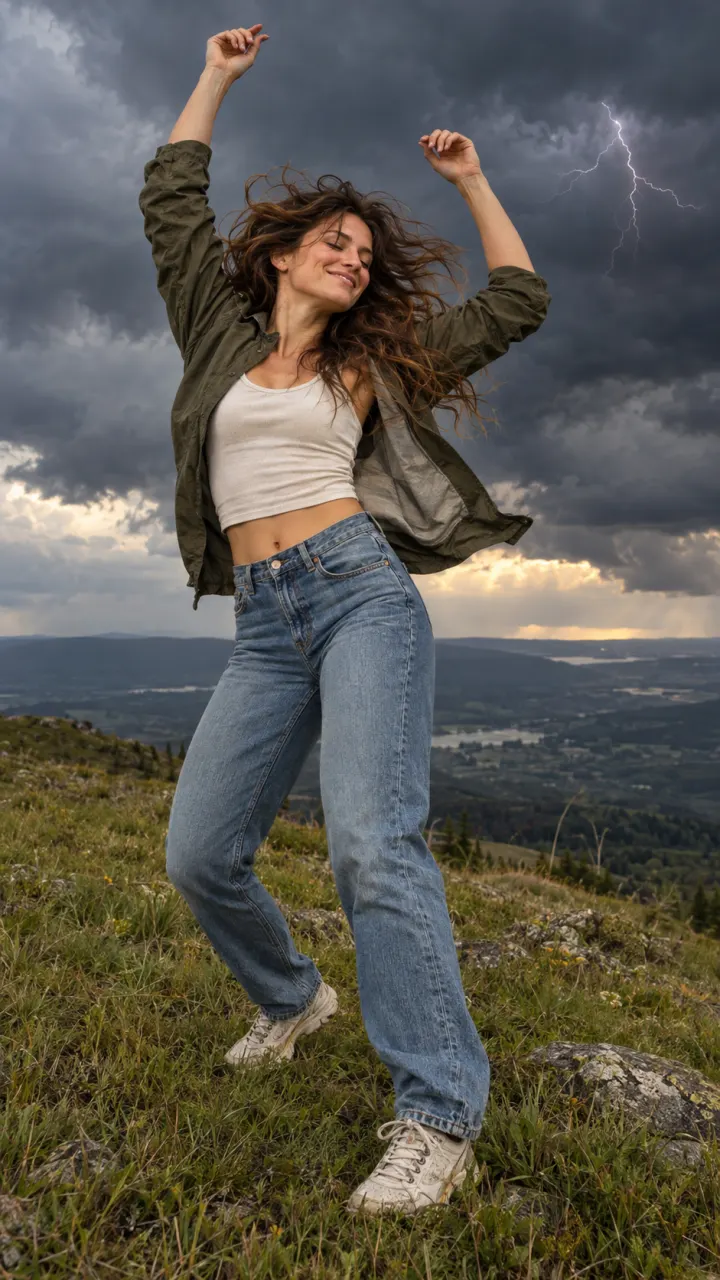
Without a group, take the other half of the name and make it about the weather. Wait for a grey, blustery day, find open high ground with a big sky, and let the wind do the drama: hair, an open jacket or a loose shirt all move on their own.
- Wind, yes; lightning, no. If you can hear thunder, you are close enough to be struck, and lightning can hit about ten miles from a storm. Pack up at the first rumble and wait 30 minutes after the last one.
- Prop the phone low and angle it up so the sky fills most of the frame. Tap and hold on the clouds to lock exposure there, so they stay dark and heavy instead of washing out.
- Dance big and slow. Wide arm sweeps and turns read on a small screen; small footwork disappears in long grass.
- Edit on the phone for free. In CapCut or your phone’s own editor, lower the brightness a touch, cool the colours and add contrast, then cut on the beats so each new shot lands on a hit.
- Fake the lightning with two or three white frames, or a flash effect, on the biggest hits. Used sparingly it sells the storm; on every beat it looks like a glitch.
Free AI routes, and where they run out
The AI copies took off in September 2026, most of them made with general image-to-video tools. Those tools usually offer some starter credits, and several trend sites sell a ready-made Storm effect with a short free preview. Before you spend an evening on them, know the limits:
- Crowds are the hardest thing for video models. Expect merged limbs, repeated faces and bows that drift out of time with each other.
- The lead tends to move with everyone else. Keeping one person still while the rest bow takes retries, and each retry eats free credits.
- Free output is usually watermarked, short or low resolution, and none of it comes with STORM II; the track goes on in the app at posting time.
- Romain Gavras, who directed the film, has said the copies saddened him, and he turned down offers to license the scene for AI. Label an AI clip as AI and credit the original.
What Reelfie’s free credits cover
Reelfie (reelfie.app) doesn’t copy the crowd. Storm Dance AI makes an 8-second clip of you dancing alone on a stormy hilltop from one photo, for 80 credits. The free sign-up credits (4) cover one photo trend, not this video. The free way to get one is an invite: when a friend you invite makes their first video, you each get 80 credits, enough for this clip. Free credits last 7 days, and files made before your first purchase carry a small watermark.
Otherwise the smallest pack is up to 2 videos for $9.90, which puts one Storm clip at about $4.95. The price is on the button before anything runs, and a failed run refunds itself.
Common problems
The bows are ragged
Have someone count the bar out loud off camera, and film the bow on its own a few times before the full take. Speed up the edit so the cleanest bow sits on the hit.
The sky looks white and flat
Lock exposure on the clouds, not on your face, and shoot when the cloud is thick. A pale sky can also be darkened a little in the editor.
The wind ruined the audio
It doesn’t matter. Mute the clip and add STORM II in TikTok or Reels when you post.
The free AI clip has a stranger’s face
Use a sharp, front-on daylight photo, and ask for fewer people. Smaller crowds keep the lead’s face steadier.
FAQ
Can I do the Storm dance trend for free?
Yes, by filming it. A group of friends on some steps, or you alone on a windy hill, plus STORM II added in the app, costs nothing.
How many people do I need for the Storm dance?
Six or more reads as a crowd. One of them stays still in the middle; the rest bow and look up together.
Which AI tool makes the Storm dance for free?
None that we know of does it cleanly. General AI video tools and trend sites give starter credits or previews, usually watermarked and without the song, and crowd scenes often need retries.
Do Reelfie’s free credits cover a Storm dance video?
Not the sign-up credits, which cover one photo trend. An invite reward does, once a friend you invite makes their first video. Otherwise it is 80 credits from a pack.
Is it safe to film the Storm dance in a real storm?
No. Film on a windy, grey day and go indoors at the first thunder; lightning can strike about ten miles from a storm.
Make your first one
Storm Dance AI: Dance with the storm.
Try Storm Dance AIYour photos are deleted 7 days after upload and never used to train AI.